Check and correct stock
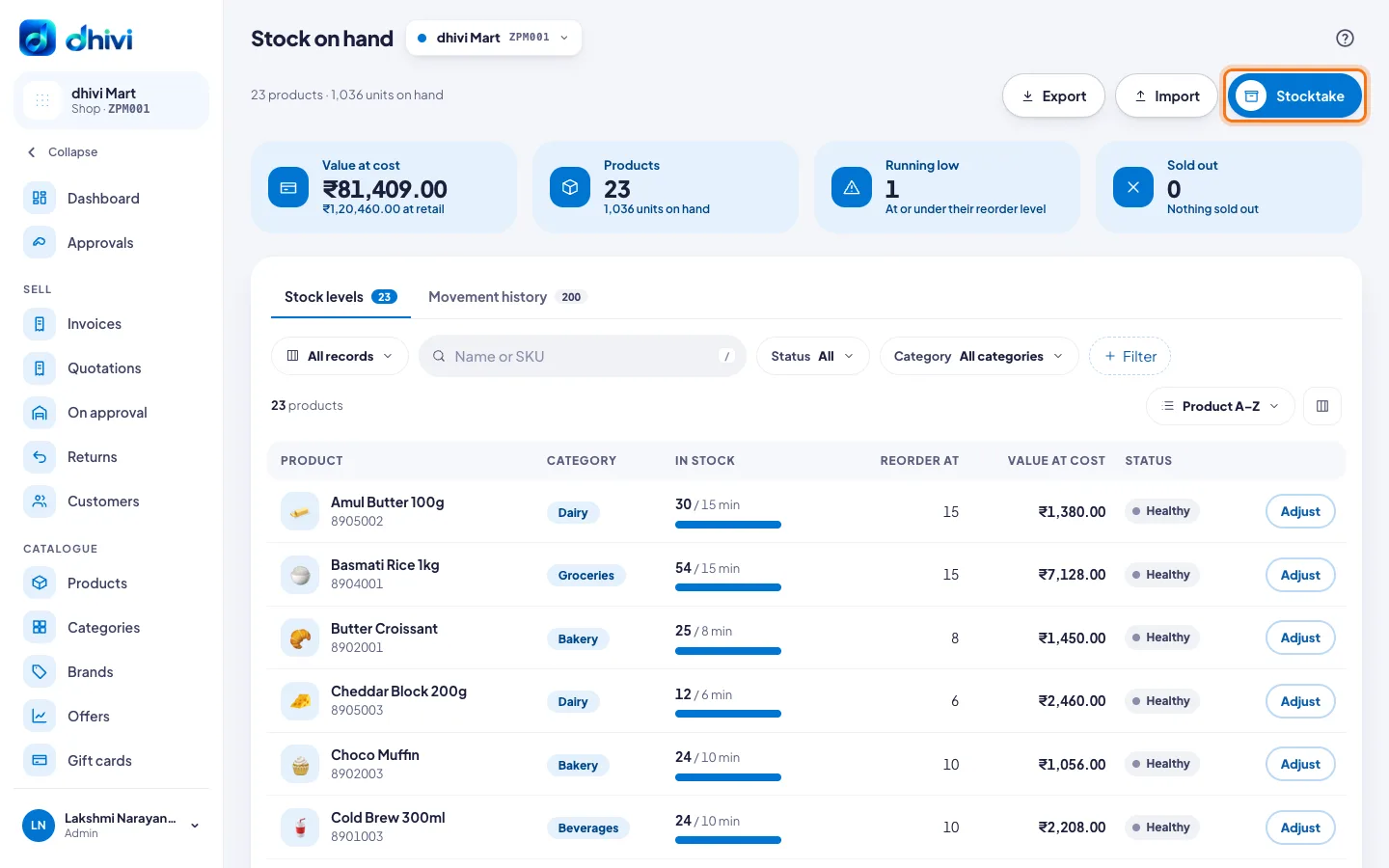
Stock on hand shows how many of each product you have, and what needs reordering.
Check stock
- Click Stock on hand in the menu.
- The number beside the menu item is how many products need reordering.
- Use Status to see only Running low or Sold out.
Correct one product
- Click Adjust on the product's row.
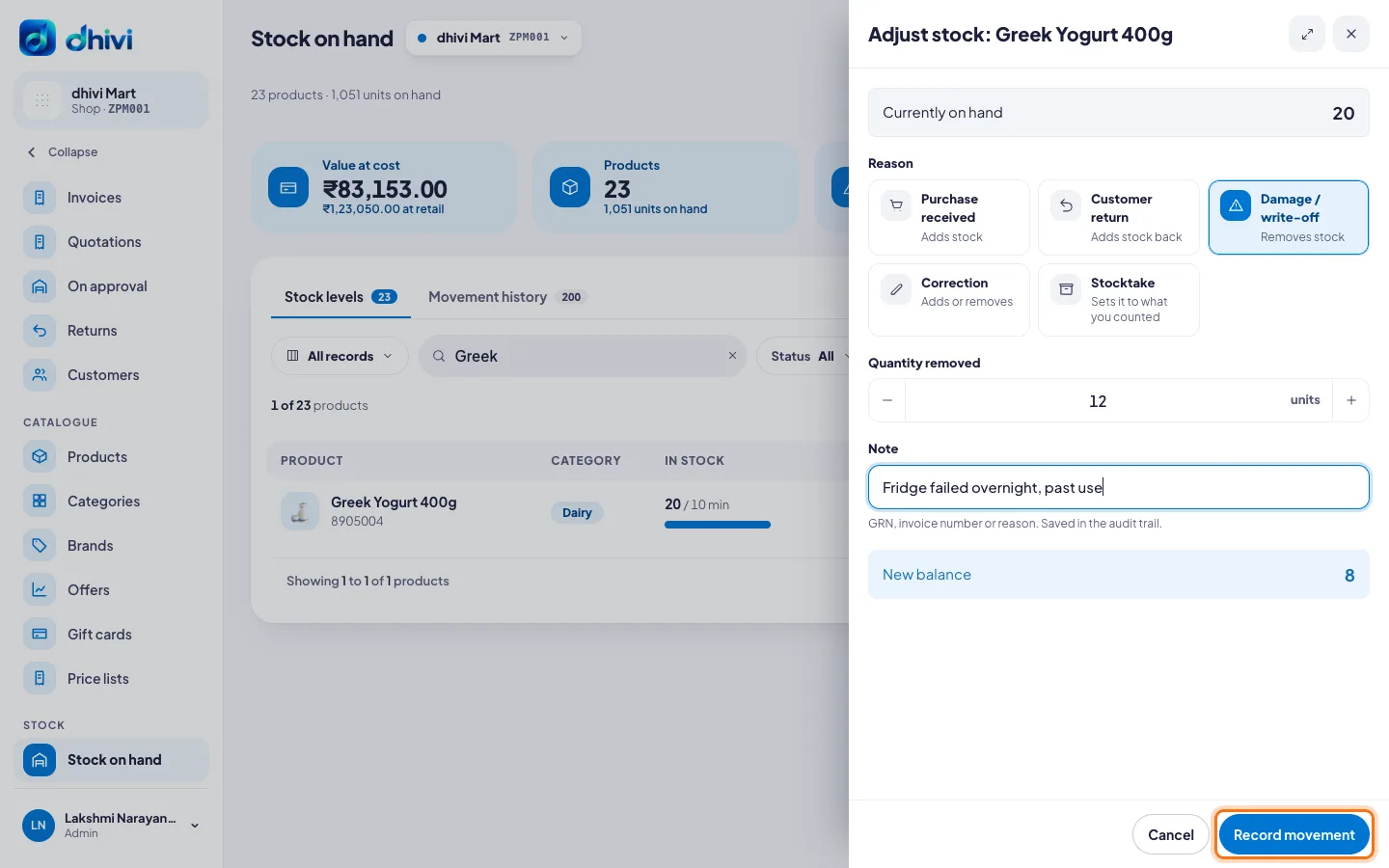
- Pick a Reason: Purchase received, Customer return, Damage / write-off, Correction or Stocktake.
- Type the quantity.
- Add a short Note, for example the supplier's bill number or what happened.
- Check the New balance and click Record movement.
Good to know
- Every change is kept in Movement history, with who made it.
- You can also adjust from a product: open it on Products and click Adjust stock.
- Export downloads the list for your records.
- To count everything at once, see Do a stocktake.