Group products into categories
Categories group your products, like Dairy or Snacks. The POS uses them to narrow its product list.
Steps
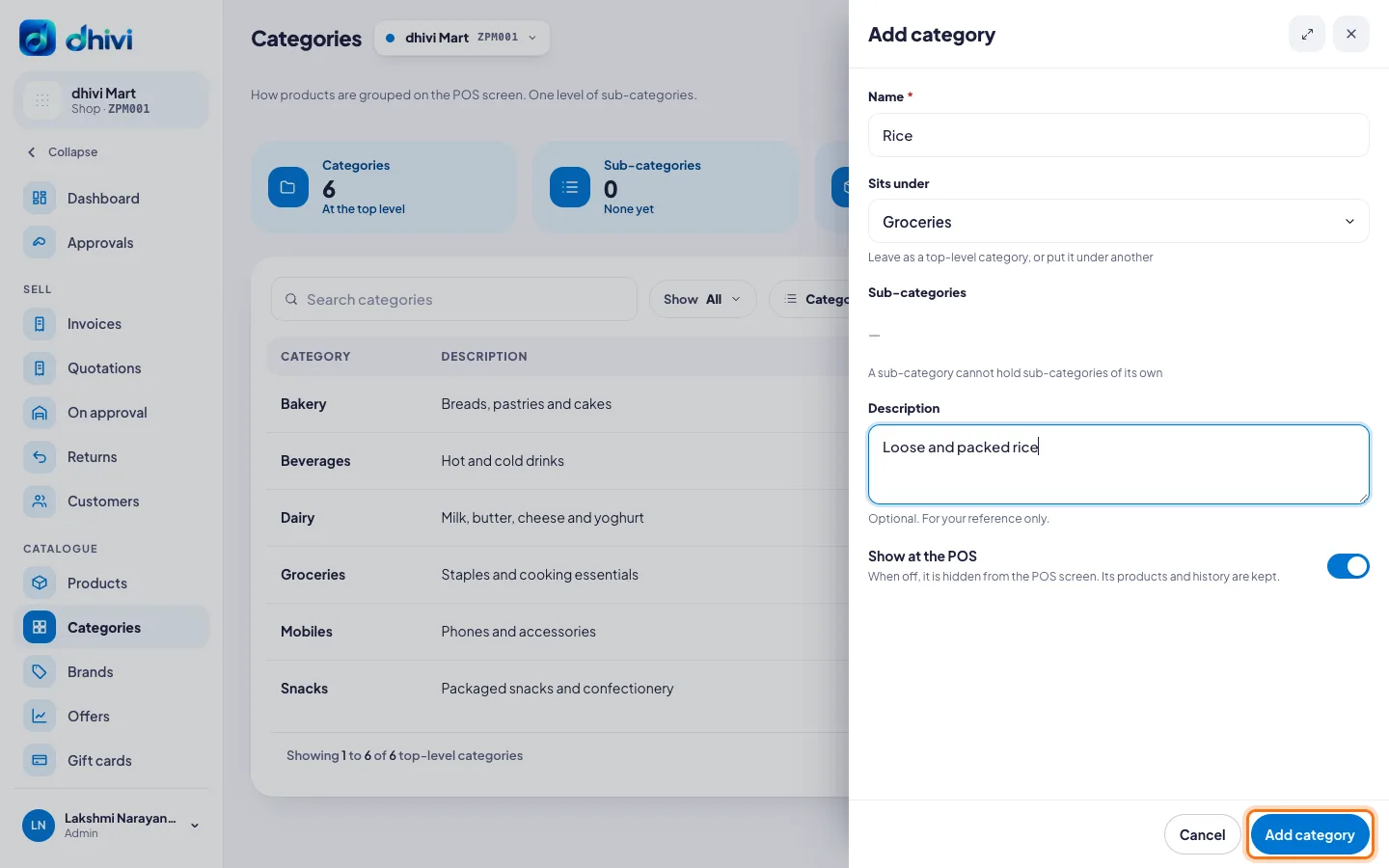
- Click Categories in the menu.
- Click Add category.
- Type the Name.
- To make it a sub-category, pick the main one under Sits under.
- Add a Description if you like. It is for your own reference.
- Keep Show at the POS switched on so it appears on the POS.
- Click Add category.
Good to know
- One level of sub-categories is allowed, for example Groceries › Rice.
- Hiding a category keeps its products and their history.
- A main category can hold its sub-categories in one go: under Sub-categories, tick them or type a new name.
- You can also make a category while adding a product: type its name in Category.