Do a stocktake
Count what is on the shelf and let dhivi POS fix the numbers.
Steps
- Click Stock on hand in the menu.
- Click Stocktake.
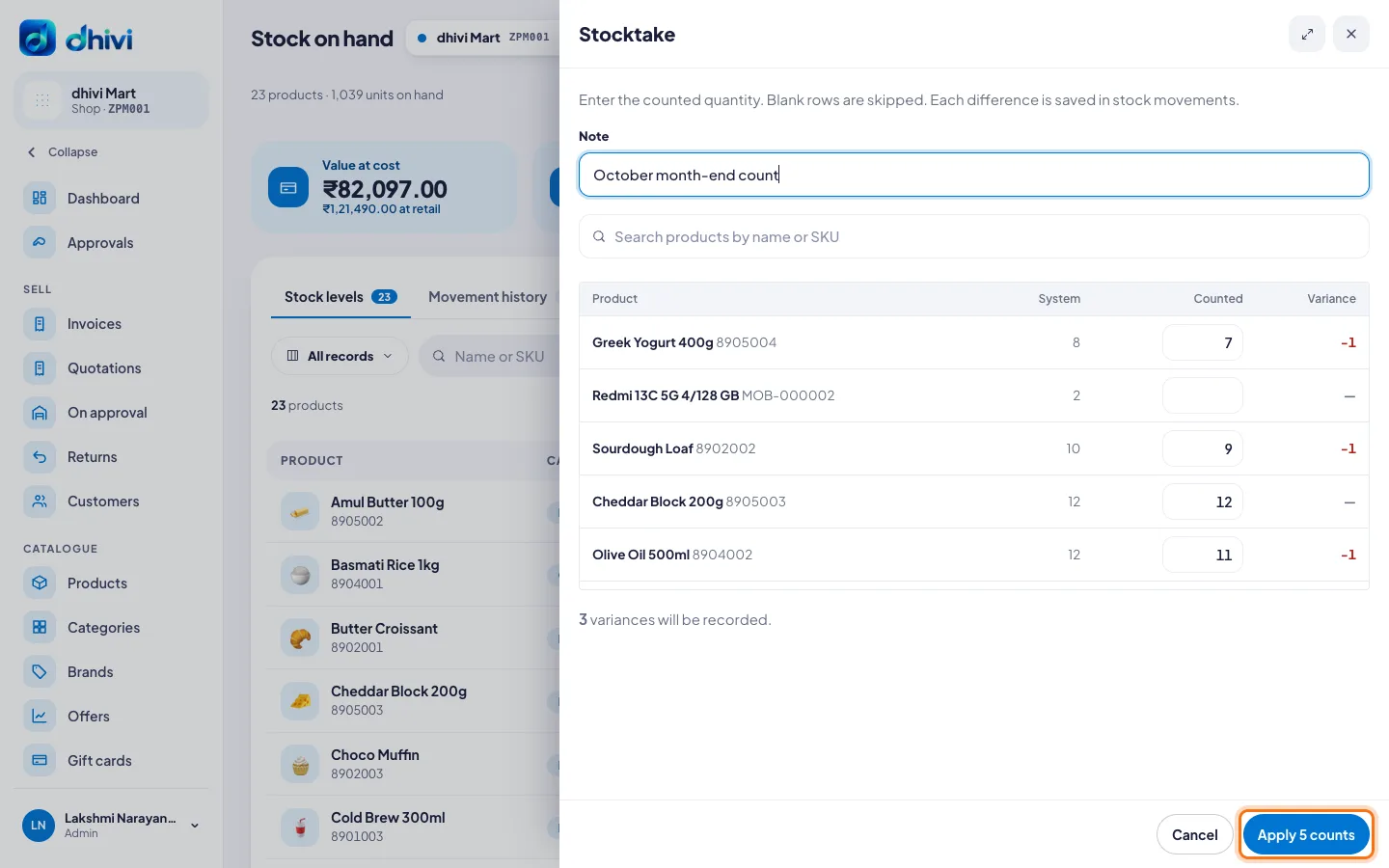
- Type a Note if you like, for example October month-end count.
- Count each product on the shelf. Use the search box to find one quickly.
- Type the number in Counted. Leave a row blank if you did not count it.
- Check the Variance column: the difference from what dhivi POS expected.
- Click Apply. The button says how many counts you typed.
Good to know
- Each difference is saved in the movement history, next to the old number.
- Count when the shop is closed, so no sale changes the numbers while you count.