Pay for your plan
Buy any day of your trial. Your paid time starts when the trial ends, so you keep the days that are left.
Only the owner, or an Admin who can see Billing, can buy and pay.
Buy the plan
- Open your account page.
- In the menu on the left, click Billing.
- Click Buy now, or the Buy button under the plan you want.
- Under How often do you want to pay?, pick a period. Paying for longer costs less a month.
- Check Who is the invoice for?: the legal name, GSTIN, state and billing address. The GST invoice is made out to this, and it cannot be changed once raised.
- Have a discount code? Click Have a code? and type it.
- Click Buy now.
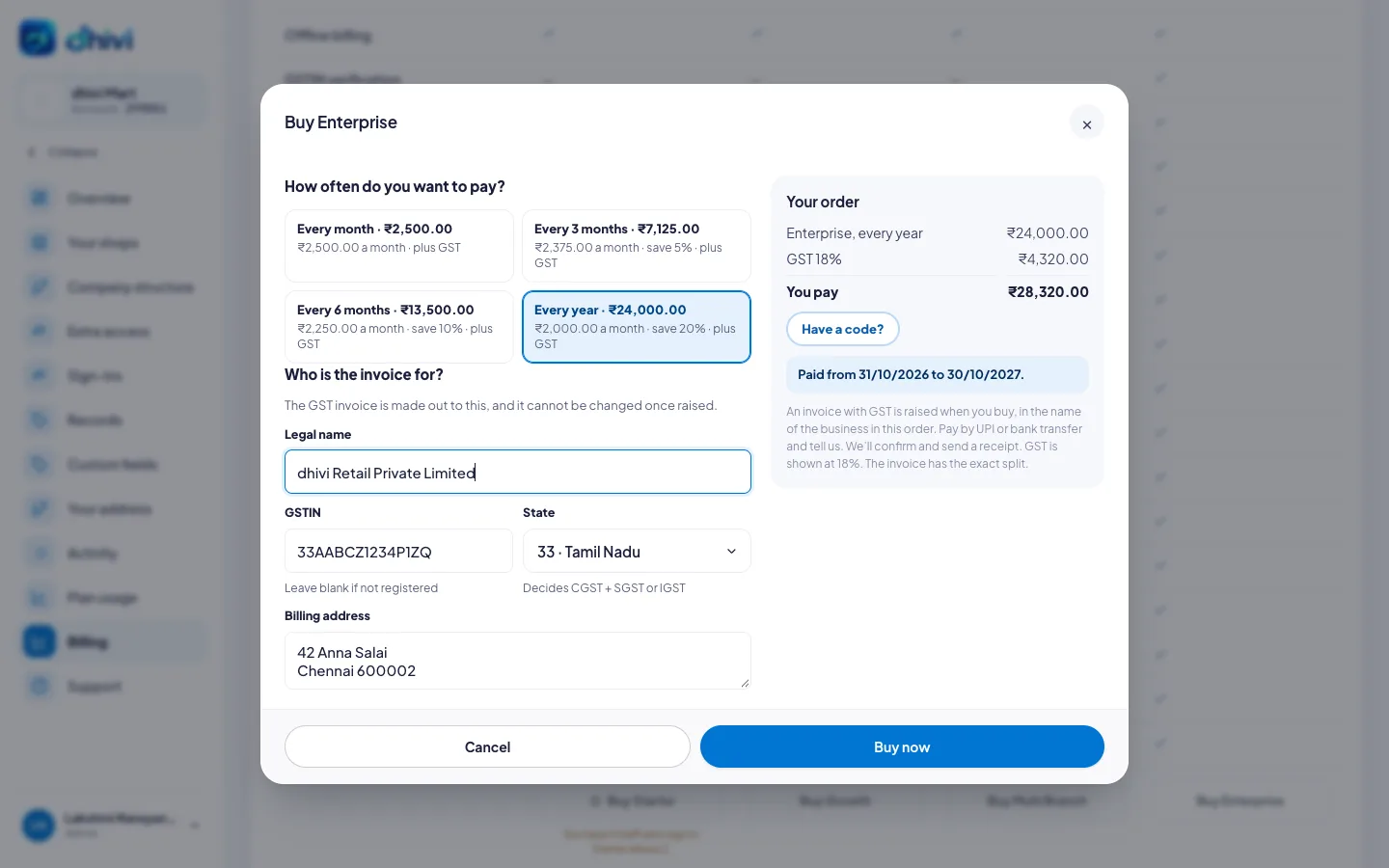
An invoice with GST is raised.
Pay the invoice
- On Billing, click Pay now beside the invoice.
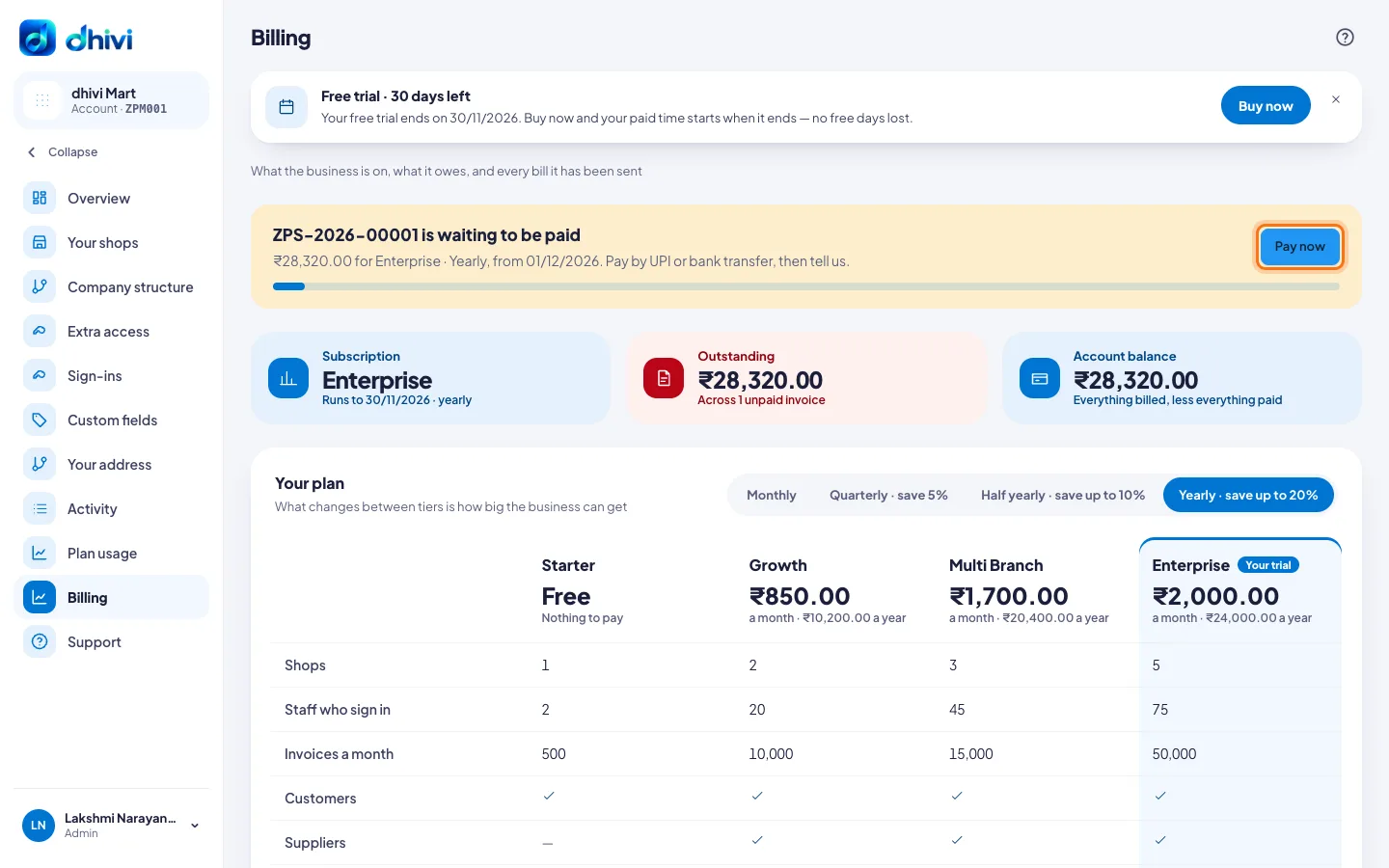
- Pay by UPI or bank transfer, to the details shown. Put the invoice number in the payment note.
- Under Paid already? Tell us, and we confirm it, pick UPI or Bank transfer.
- Type the UTR or transaction ID from your bank or UPI app, the date and the amount.
- Click I have paid.
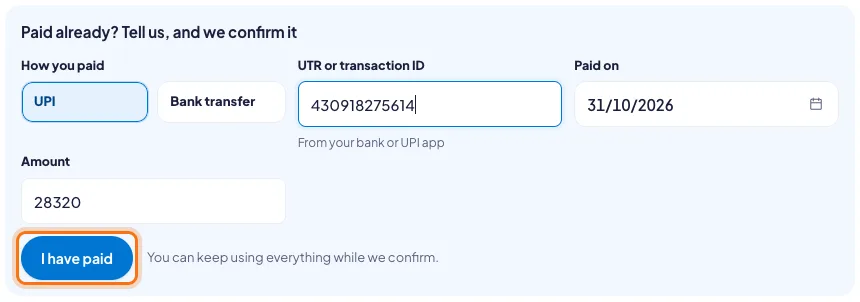
The invoice shows Waiting for approval until we confirm it. You can keep using everything while we check.
Your invoice and receipt
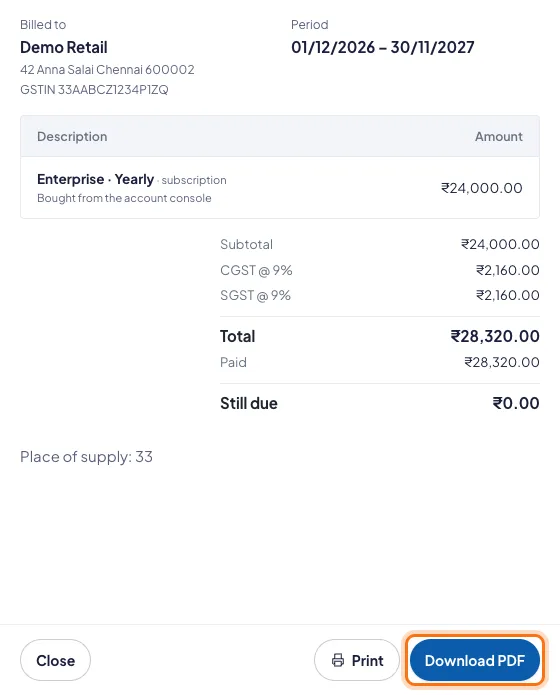
When the payment is confirmed, the invoice is marked Paid and a receipt comes by email.
- On Billing, click View beside the invoice.
- Click Download PDF for the tax invoice, or Print.
Good to know
- Invoices, payment receipts and reminders come by email from dhivi POS billing. Questions about a bill go to Support.
- Auto-renew raises the next invoice on the renewal date. Turn it off on Billing if you do not want to renew.
- Want each invoice paid by itself? See Pay automatically.
- To move to another plan, see Change your plan.