Open your first shop
After you create your account, dhivi POS asks you to open a shop. Your free trial starts here.
Steps
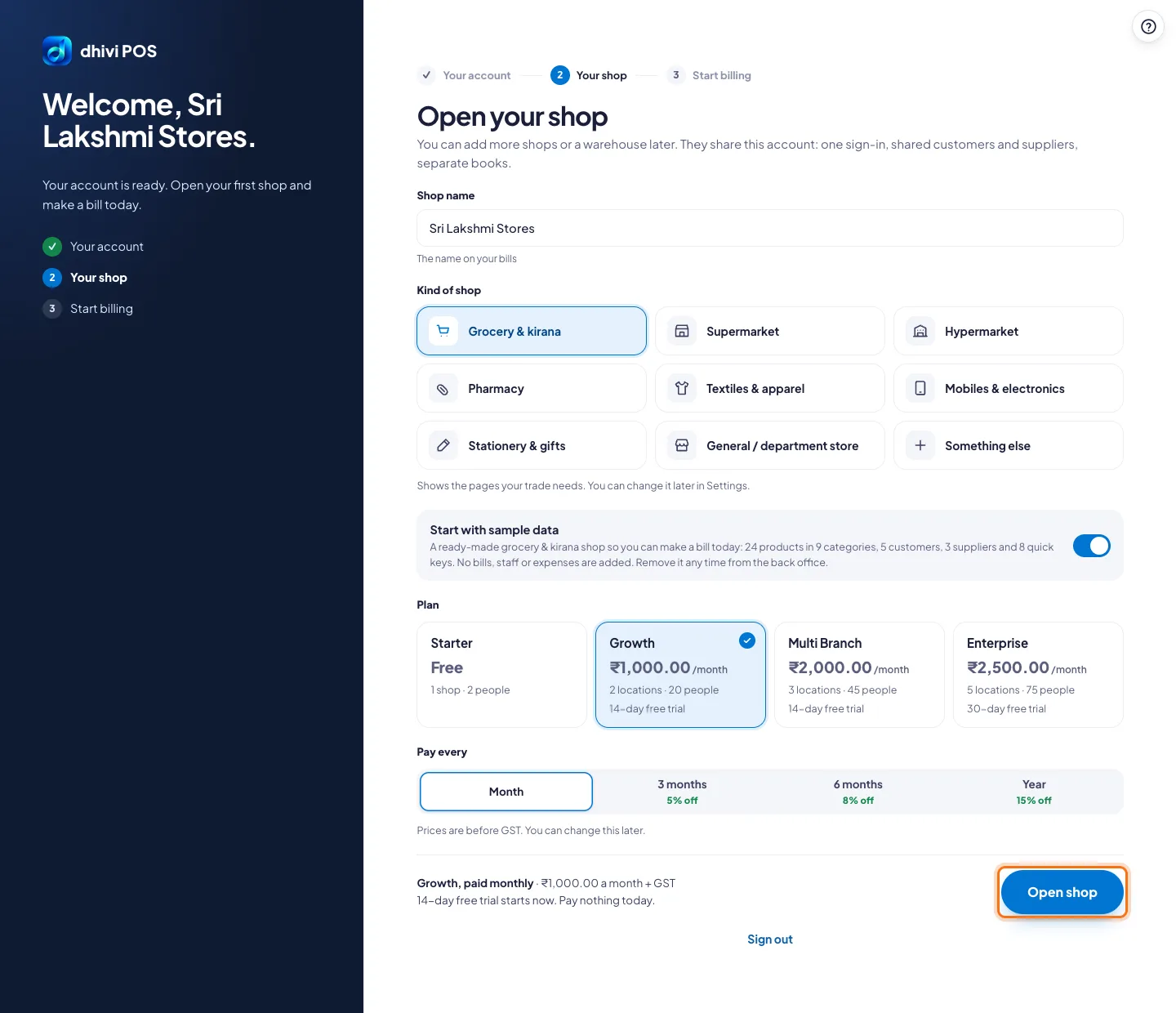
- Type the Shop name. Customers see this name on their bill.
- Under Kind of shop, pick the one closest to yours: Grocery & kirana, Pharmacy, Mobiles & electronics and so on. It shows the pages your trade needs. You can change it later in Settings.
- Leave Start with sample data switched on to begin with ready-made products, customers and suppliers for your kind of shop, so you can make a bill today. Switch it off to start empty.
- Under Plan, pick a plan. Starter is free for one shop. The others start with a free trial.
- Under Pay every, pick Month, 3 months, 6 months or Year. Longer periods cost less a month.
- Click Open shop.
After that
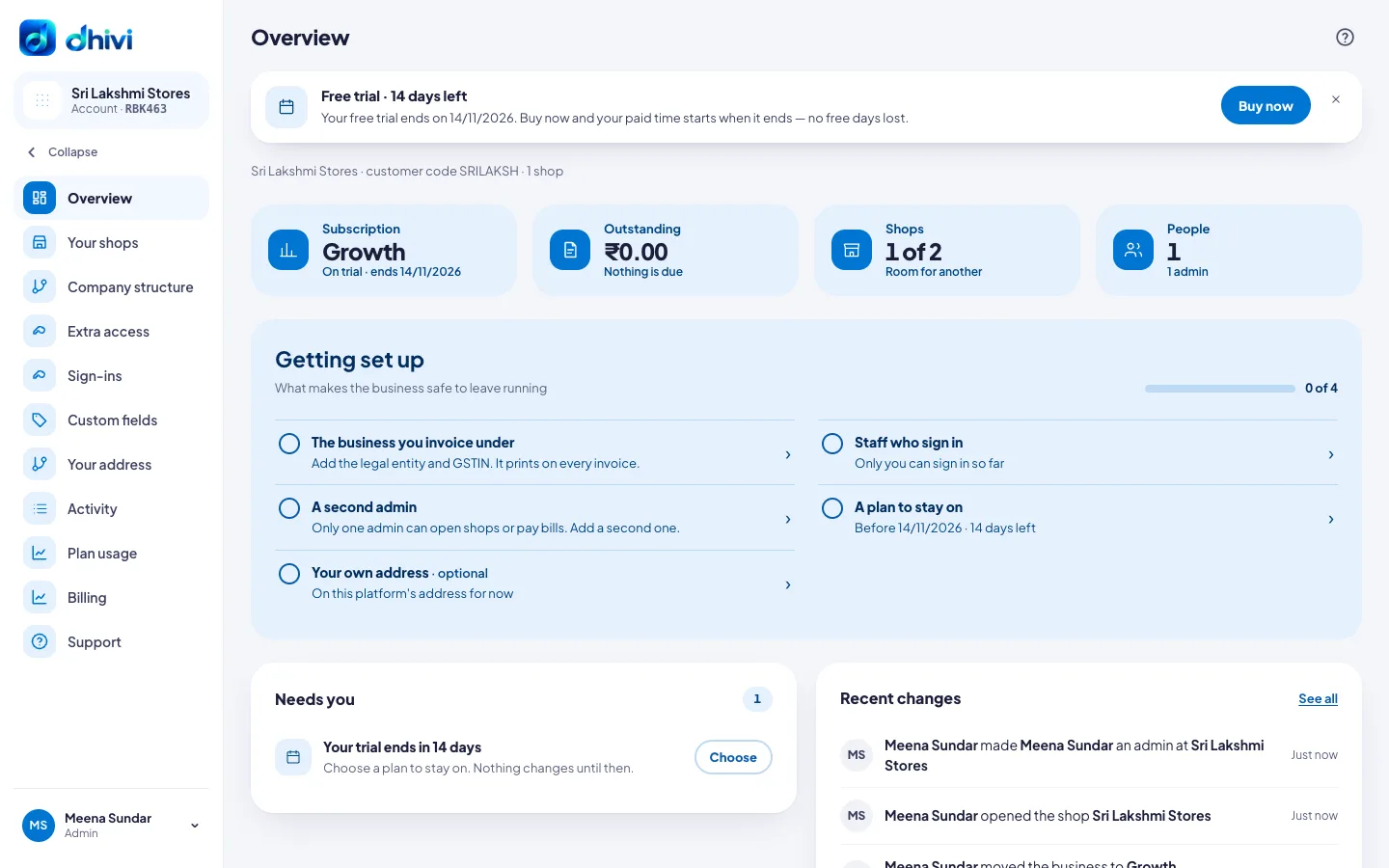
Your account page opens. The Getting set up box shows what is left to do: the business you invoice under (your GSTIN), your staff, a second admin and a plan to stay on.
Good to know
- Nothing is charged during the free trial. The banner at the top shows how many days are left.
- Prices are before GST. You can change the plan later.
- To remove the sample data later, see Remove sample data.
- To buy, see Pay for your plan.