Fill in your store profile
Your store profile is what prints at the top of every bill. Each shop has its own.
Steps
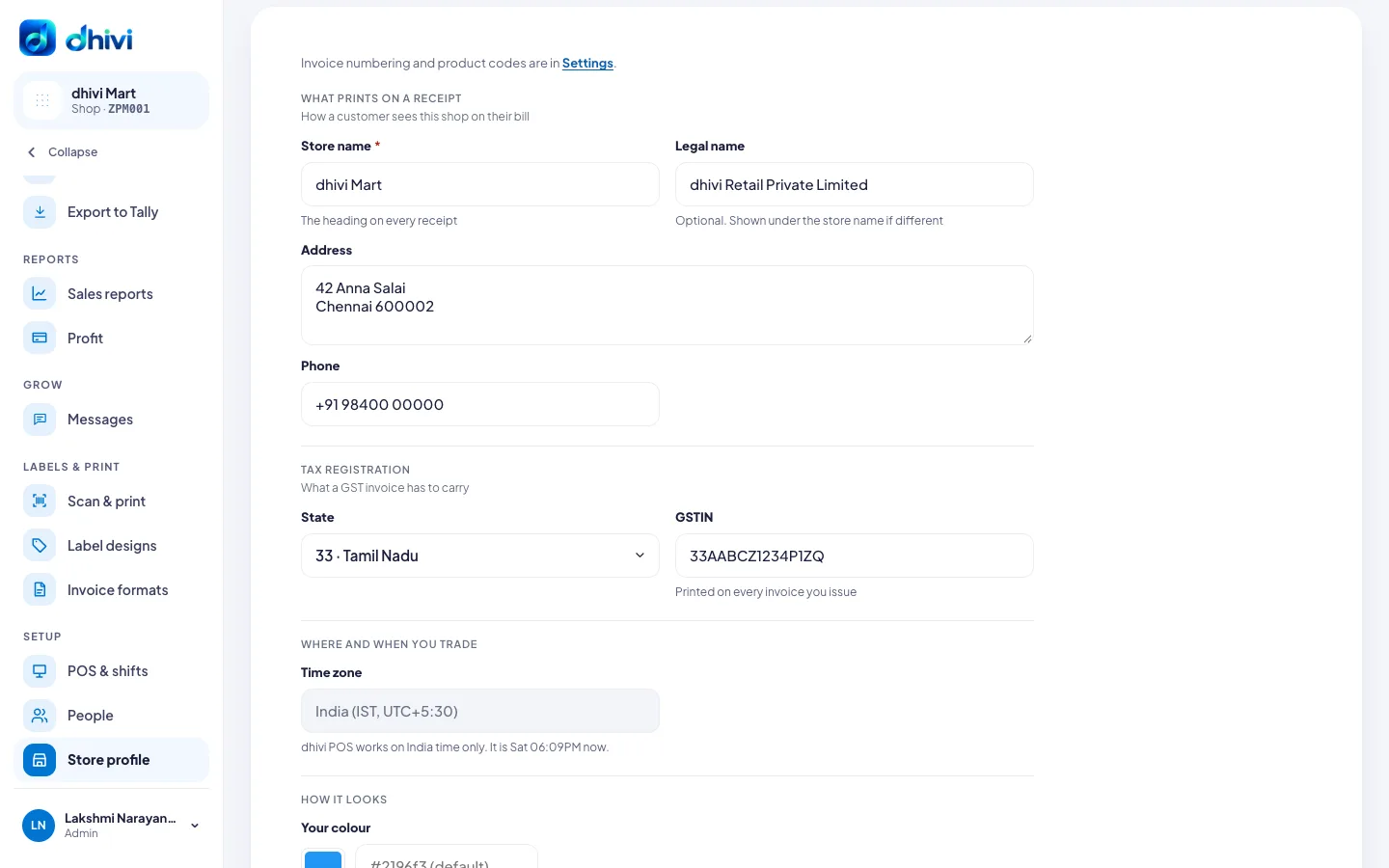
- In the menu, under Setup, click Store profile.
- Enter the Store name. It is the heading on every receipt.
- Add the Legal name if it is different. It shows under the store name.
- Enter the Address and Phone.
- Under Tax registration, select your State and enter your GSTIN.
- Under How it looks, pick Your colour if you want one. It is used for buttons in the back office and the POS.
- Click Save store profile.
Good to know
- The GSTIN prints on every invoice. Check it carefully.
- Every shop runs on India time. There is no time zone to choose.
- Your Store code is at the top of the page and in the shop picker. Staff do not type it: they sign in with their mobile number or email.
- Invoice numbering and product codes are in Settings. See Change how bills are numbered.