Add a POS counter
Each billing counter is a terminal. Bill numbers show which counter made them.
Steps
- In the menu, under Setup, click POS & shifts.
- Click Add terminal.
- Under What is this counter called?, enter a name the cashier will recognise, for example Front counter.
- Click Add terminal.
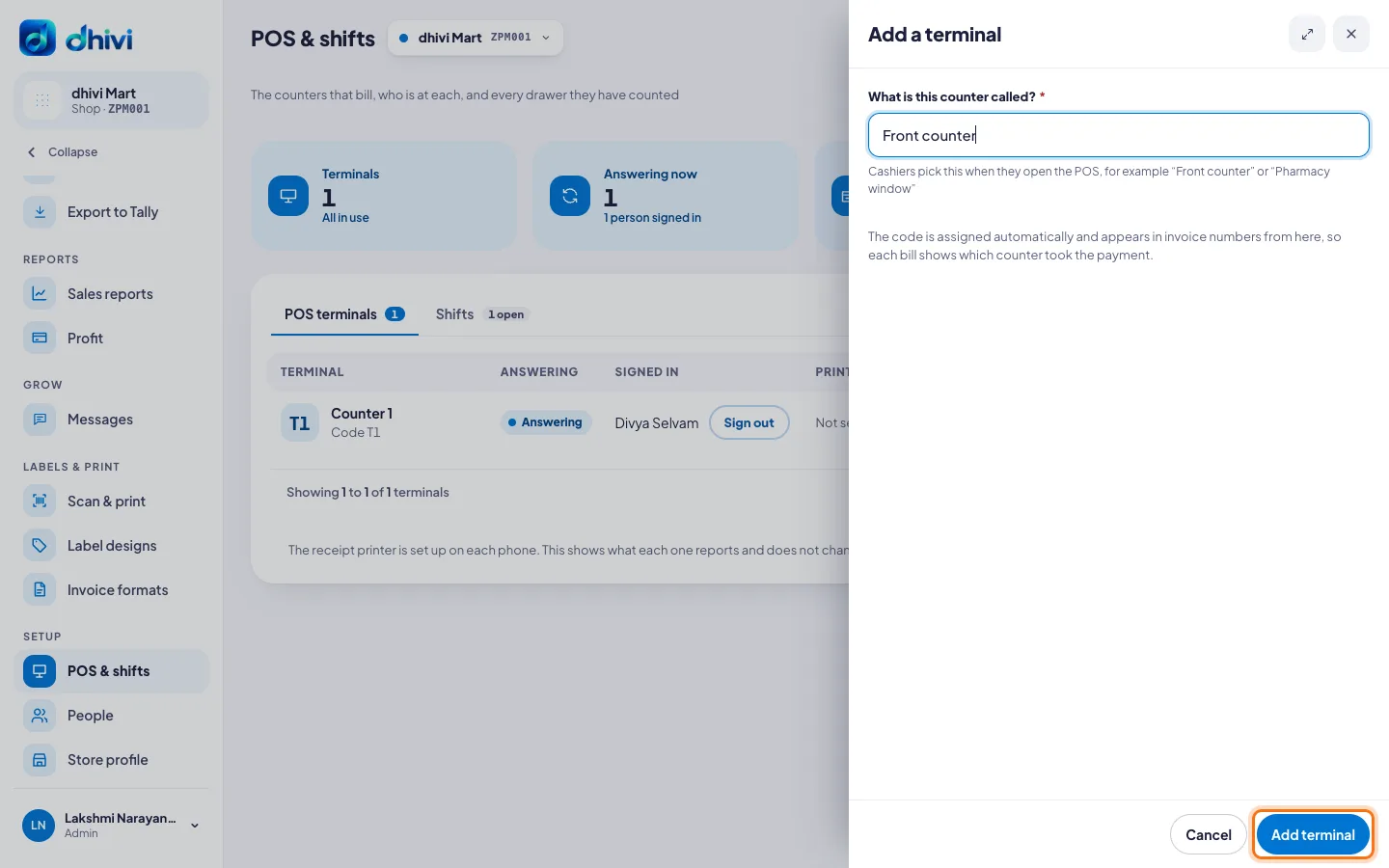
The code, such as T2, is given by itself. Cashiers pick the counter by its name when they open the POS.
See who is billing
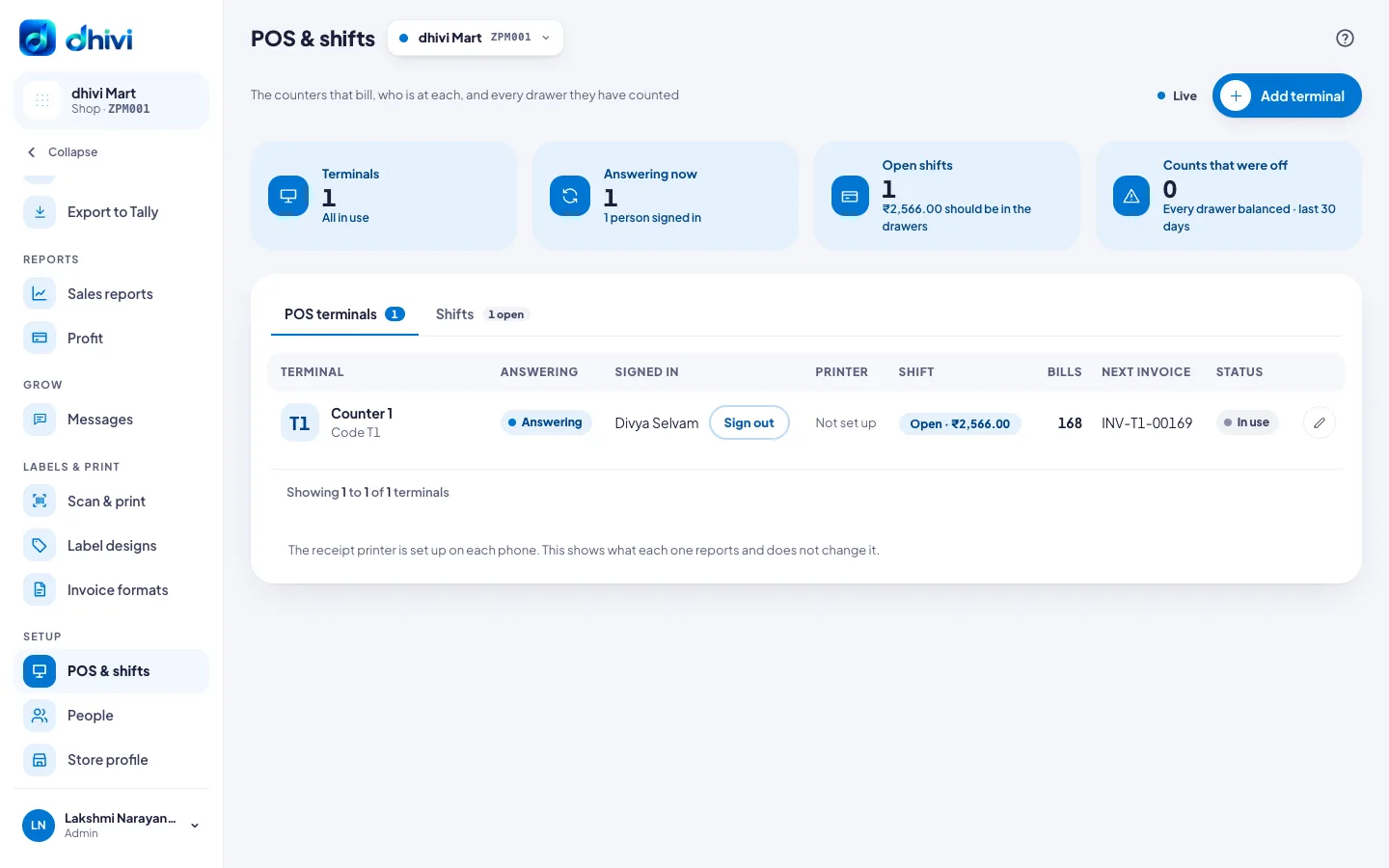
The POS terminals tab shows each counter, whether it is answering, who is signed in, its printer, the open shift, its bills and its next invoice number. Click Sign out to sign someone out of a counter.
The Shifts tab lists every shift, the cash counted and any amount that was short or over.
Rename a counter
Click the pencil at the end of its row, change the Name, and click Save changes. Here you can also set how its bill numbers start. See Change how bills are numbered.