Set what needs a manager
Decide how much a cashier can do alone. Above that, a manager enters their PIN on the cashier's screen. Each shop has its own limits.
Steps
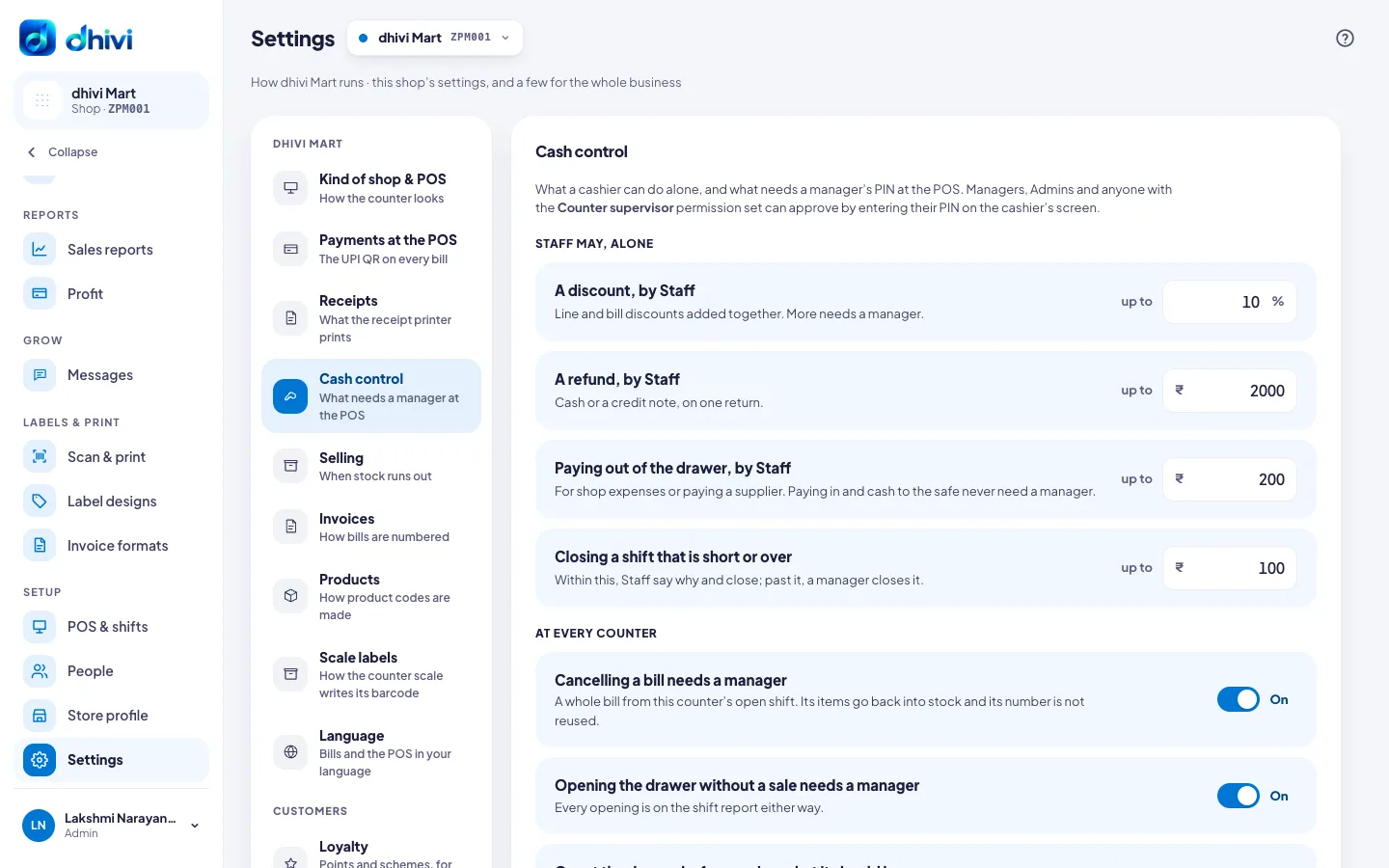
- In the menu, under Setup, click Settings, then Cash control.
- Under Staff may, alone, set:
- A discount, by Staff – the most, in %, for line and bill discounts added together.
- A refund, by Staff – the largest refund on one return, in cash or a credit note.
- Paying out of the drawer, by Staff – the most for shop expenses or paying a supplier.
- Closing a shift that is short or over – within this, staff say why and close; past it, a manager closes it.
- Under At every counter, turn each on or off:
- Cancelling a bill needs a manager.
- Opening the drawer without a sale needs a manager.
- Count the drawer before seeing what it should be – the cashier counts first, then sees the expected amount.
- Print the Z report when a shift closes.
- Click Save.
Good to know
- Managers, Admins and anyone with the Counter supervisor extra access can approve.
- An approval works once, within two minutes, for the action it was given for. Both names go on the shift report.
- Paying cash in, and moving cash to the safe, never need a manager.
- Approvals need internet. While the POS is offline, discounts cannot go past the limit.
- A manager can also approve from their phone. See Approve from your phone.