Choose your kind of shop
Tell dhivi POS what you sell. It suggests the right POS screen and adds the pages your trade needs. Each shop can be a different kind.
Steps
- In the menu, under Setup, click Settings, then the first section, Kind of shop & POS.
- Under What kind of shop is your shop, pick the closest match: grocery, supermarket, pharmacy, textiles, mobiles and more.
- Under Also sells, tick anything else this shop sells, for example phones with IMEI numbers, medicines, items with an expiry date, or clothes in sizes and colours. Their pages are added to the menu. Untick to remove them; records are kept.
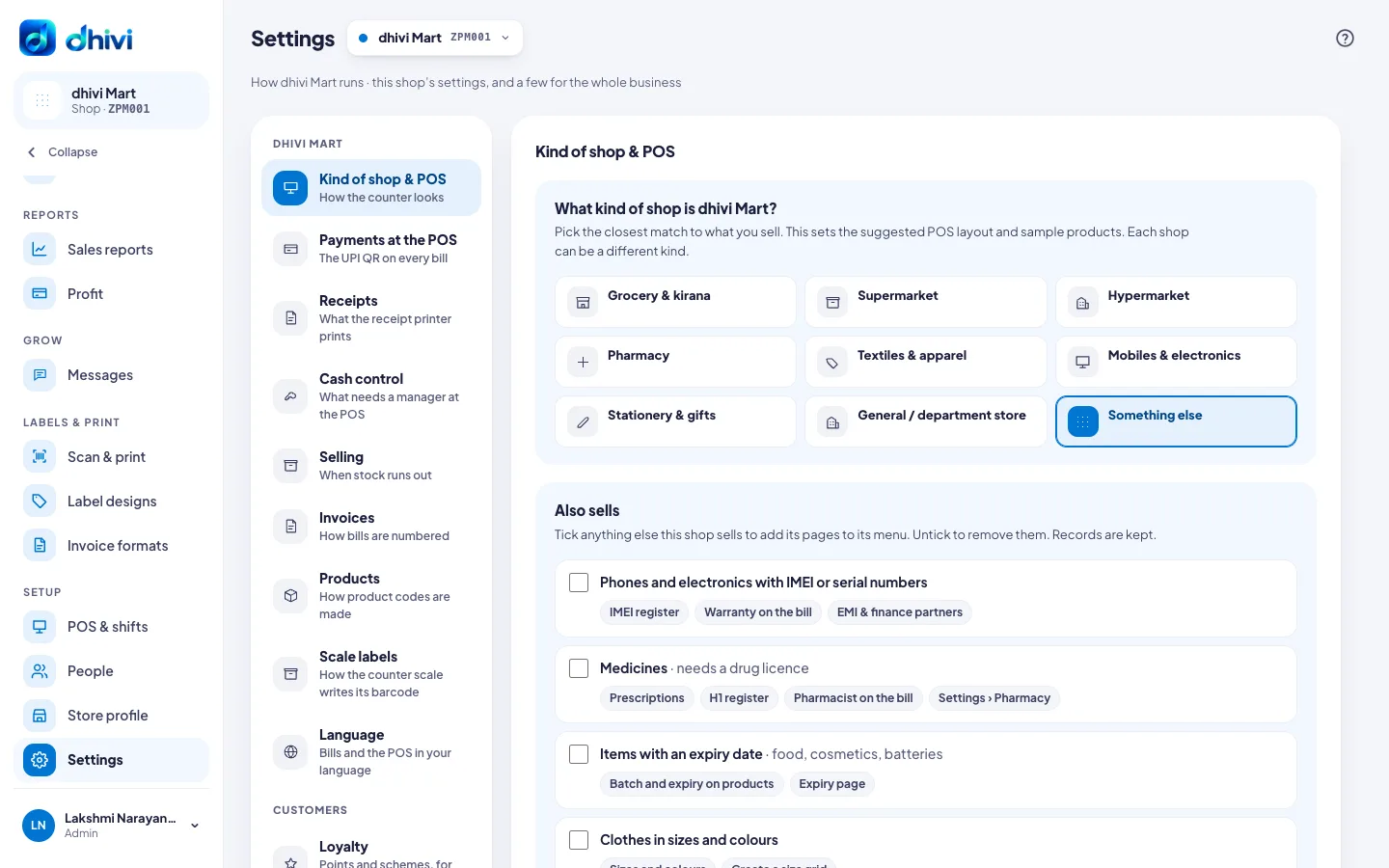
Each choice is saved as soon as you pick it.
The POS layout
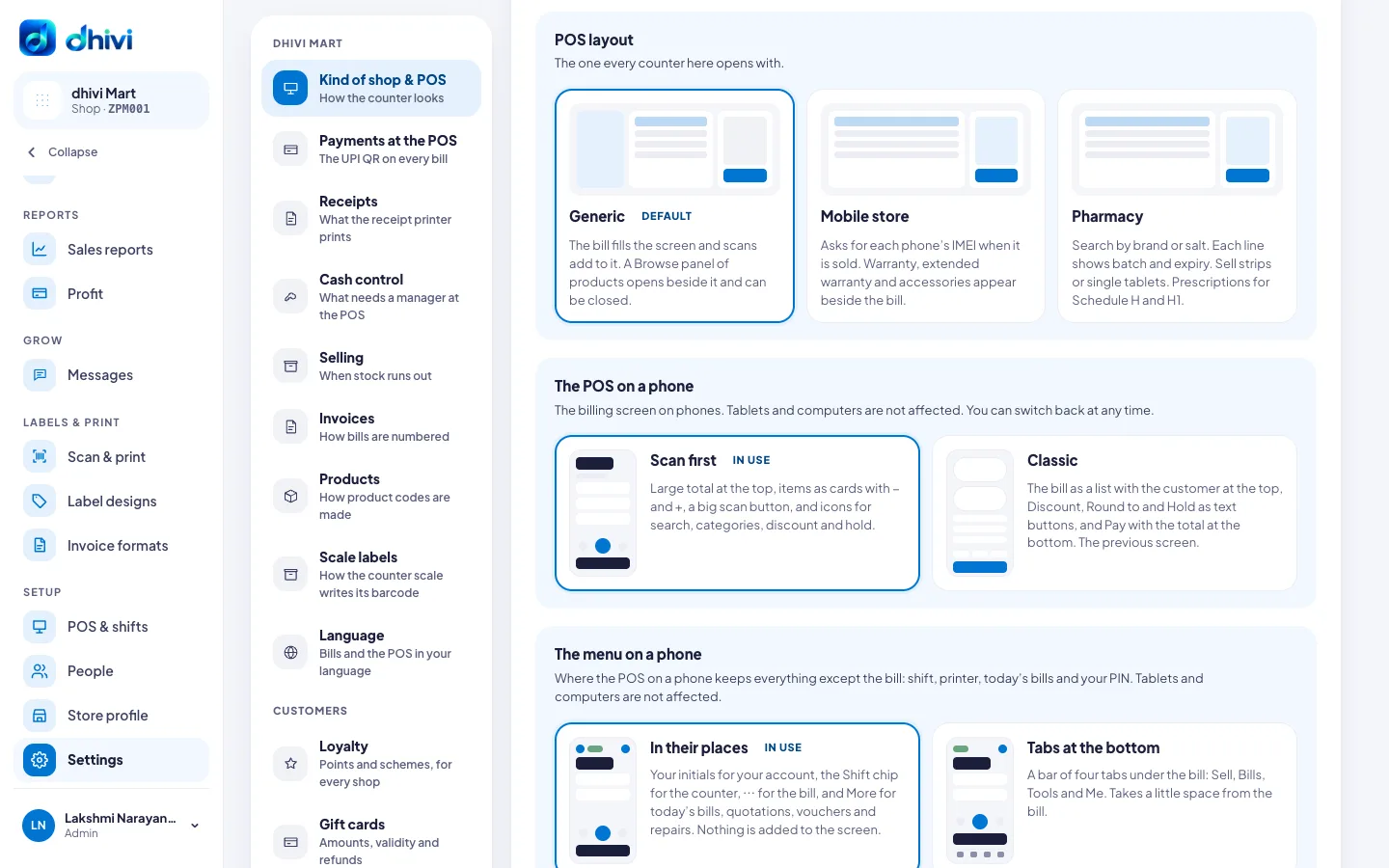
Under POS layout, pick the one every counter at this shop opens with:
- Generic – the bill fills the screen and scans add to it. A Browse panel of products opens beside it.
- Mobile store – asks for each phone's IMEI when it is sold. Warranty and accessories appear beside the bill.
- Pharmacy – search by brand or salt, batch and expiry on each line, strips or single tablets, and prescriptions.
Turn on Cashiers can switch layout on the POS to let cashiers change layout from the POS header without losing the bill.
The POS on a phone
These change the POS on a phone only. A tablet or a computer is not changed.
- Under The POS on a phone, pick:
- Scan first – the total in big numbers at the top, items as cards with − and +, and a big scan button.
- Classic – the bill as a list, with Discount, Round to and Hold as words.
- Under The menu on a phone, pick:
- In their places – your initials, the Shift chip, ⋯ for the bill, and More. Nothing is added to the screen.
- Tabs at the bottom – four tabs under the bill: Sell, Bills, Tools and Me.
Categories and product tiles
- Categories at the POS: One button above the products, A column on wide screens (1280 px and wider), or No categories.
- Product tiles at the POS: Every product, or Only when searching. Scanning and search work the same either way.
Good to know
- A POS that is already open picks up changes when it is reloaded.
- The layout only changes how the POS looks. Bills, products and stock are not affected.