Change how bills are numbered
Put your own letters at the start of every bill number. A bill number is never repeated across your shops: each POS keeps its own series.
Change the prefix
- In the menu, under Setup, click Settings, then Invoices.
- Enter an Invoice prefix of up to 8 letters, numbers or /, for example SLS. Left empty, bills start with INV.
- Check the examples on the right: First bill on a POS and Raised in the back office.
- Click Save prefix.
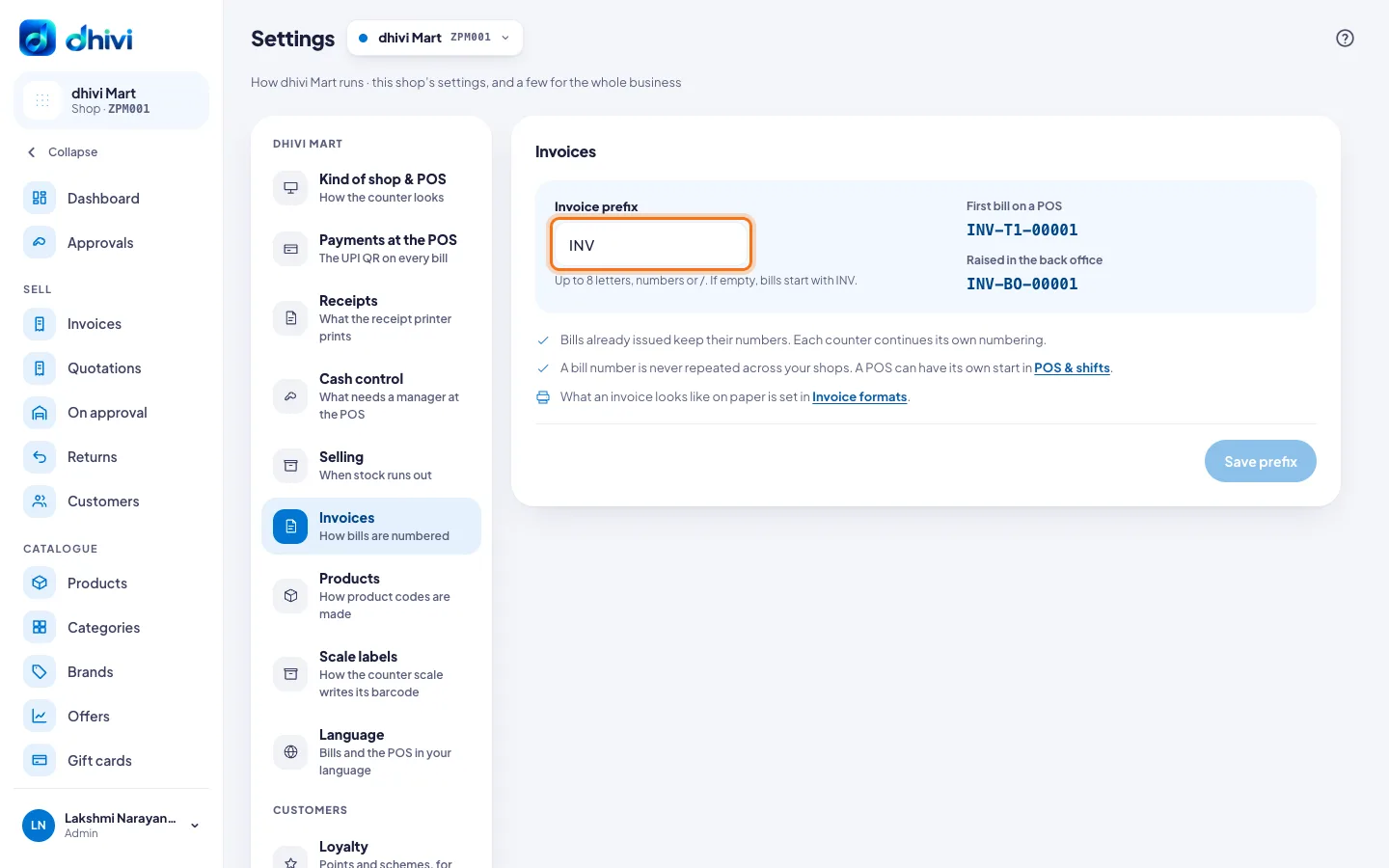
A bill number is the prefix, the counter's code and a running number, for example INV-T1-00042.
Give one POS its own start
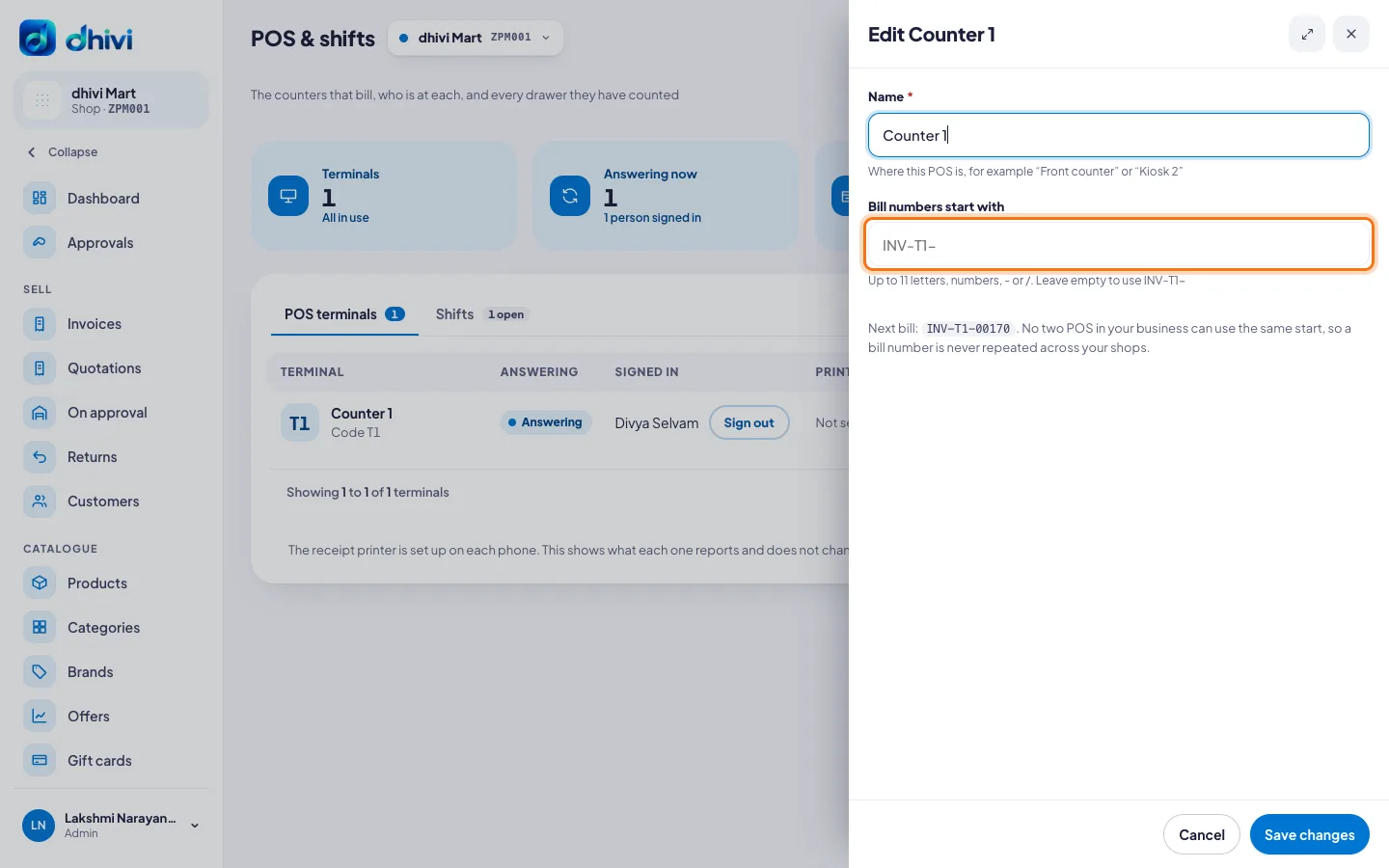
- In the menu, click POS & shifts.
- Click the pencil at the end of the counter's row.
- Under Bill numbers start with, enter up to 11 letters, numbers, - or /. Leave it empty to use the shop's prefix and the counter's code.
- Check Next bill, then click Save changes.
Good to know
- Bills already issued keep their numbers. Each counter carries on with its own numbering.
- No two POS in your business can use the same start, so a number is never used twice.
- What an invoice looks like on paper is set in Invoice formats.