Sell loose items by weight
For rice, sugar, dal and anything sold by the kg.
Steps
- Tap the item, or scan or search for it.
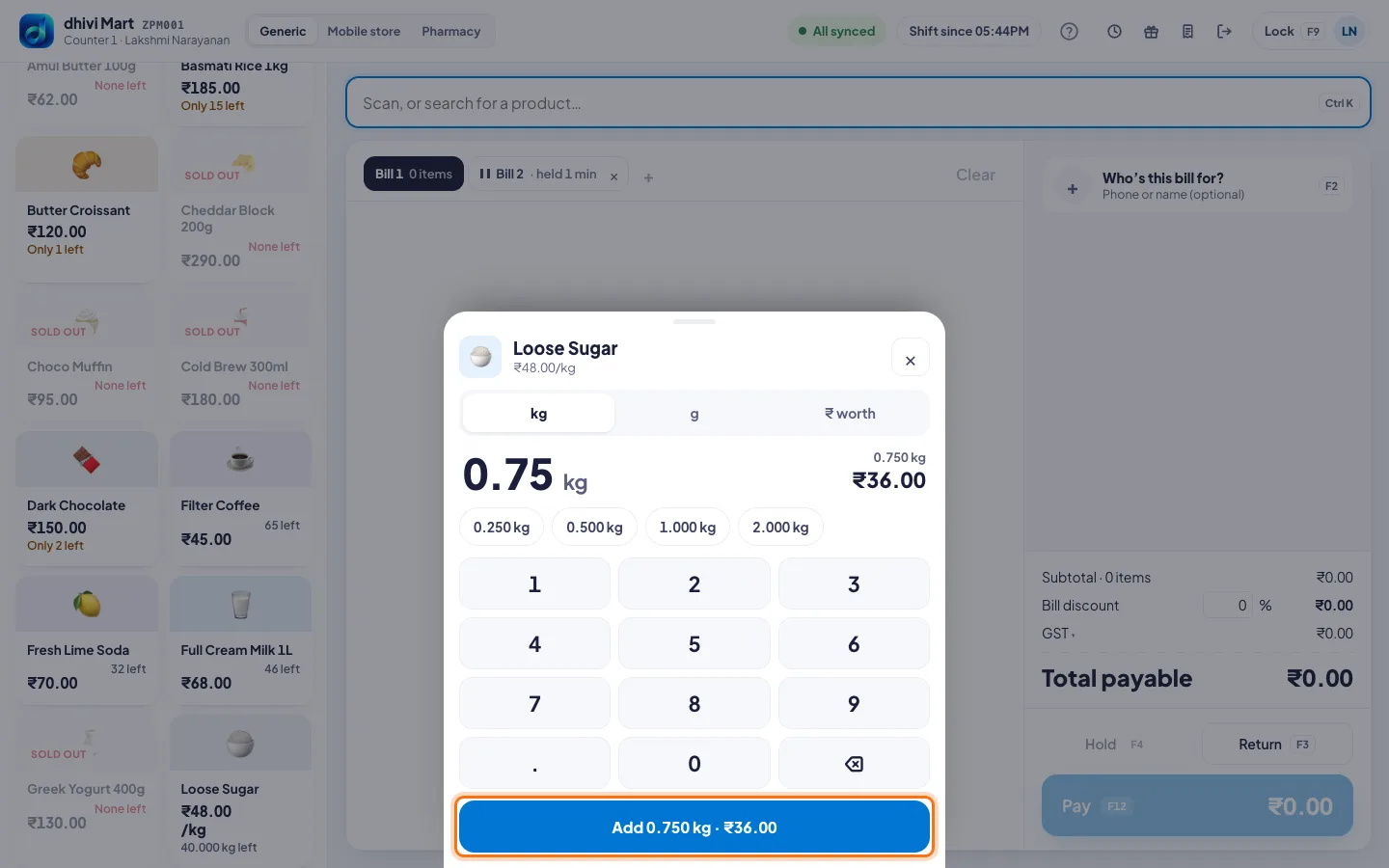
- A keypad opens. Type the weight in kg, for example 0.75 for 750 g.
- Or tap g to type grams, or ₹ worth to sell an amount, for example ₹50 of sugar.
- Or tap a ready weight: 0.250 kg, 0.500 kg, 1.000 kg or 2.000 kg.
- Check the weight and price on the button, then tap it. For example Add 0.750 kg · ₹36.00.
Good to know
- Have a label from the weighing scale? Just scan it. The weight is in the barcode.
- To set up a loose item, see Sell by weight and in packs.