Use labels from a weighing scale
If your counter scale prints a barcode with the weight or price in it, the POS can read it and add the item at that weight.
Steps
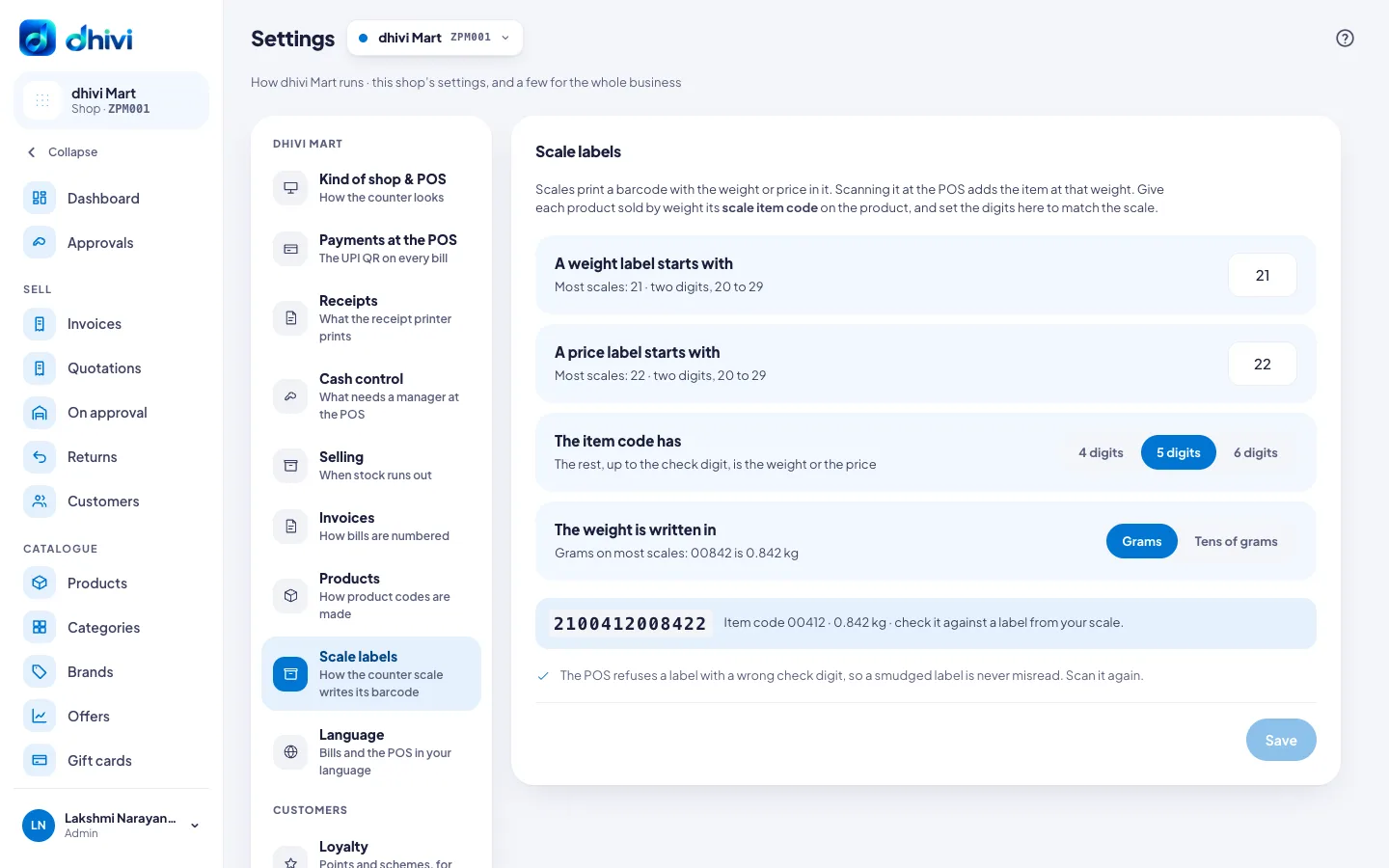
- In the menu, under Setup, click Settings, then Scale labels.
- Under A weight label starts with, enter what a weight label starts with. Most scales use 21.
- Under A price label starts with, enter what a price label starts with. Most scales use 22.
- Under The item code has, pick 4 digits, 5 digits or 6 digits. Check a label from your scale.
- Under The weight is written in, pick Grams or Tens of grams.
- Compare the example barcode with a real label, then click Save.
- On each loose product, enter its scale item code. See Sell by weight and in packs.
Good to know
- The POS refuses a label with a wrong check digit, so a smudged label is never misread. The cashier scans it again.