Order stock from a supplier
A purchase order is what you ask a supplier to send. It is optional: you can receive a delivery without one. With an order, you can see what is still to come and what is late.
Make an order
- Click Purchase orders under Purchases in the menu.
- Click New order.
- Select the Supplier. What they last sent and is low here is filled in, up to twice the reorder level.
- Under Items, change any quantity, remove a line, or search to add more.
- Under Details, set Expected by and add a Note to the supplier if you want to.
- Click Send on WhatsApp. Or click Download PDF, or Save as draft to send it later.
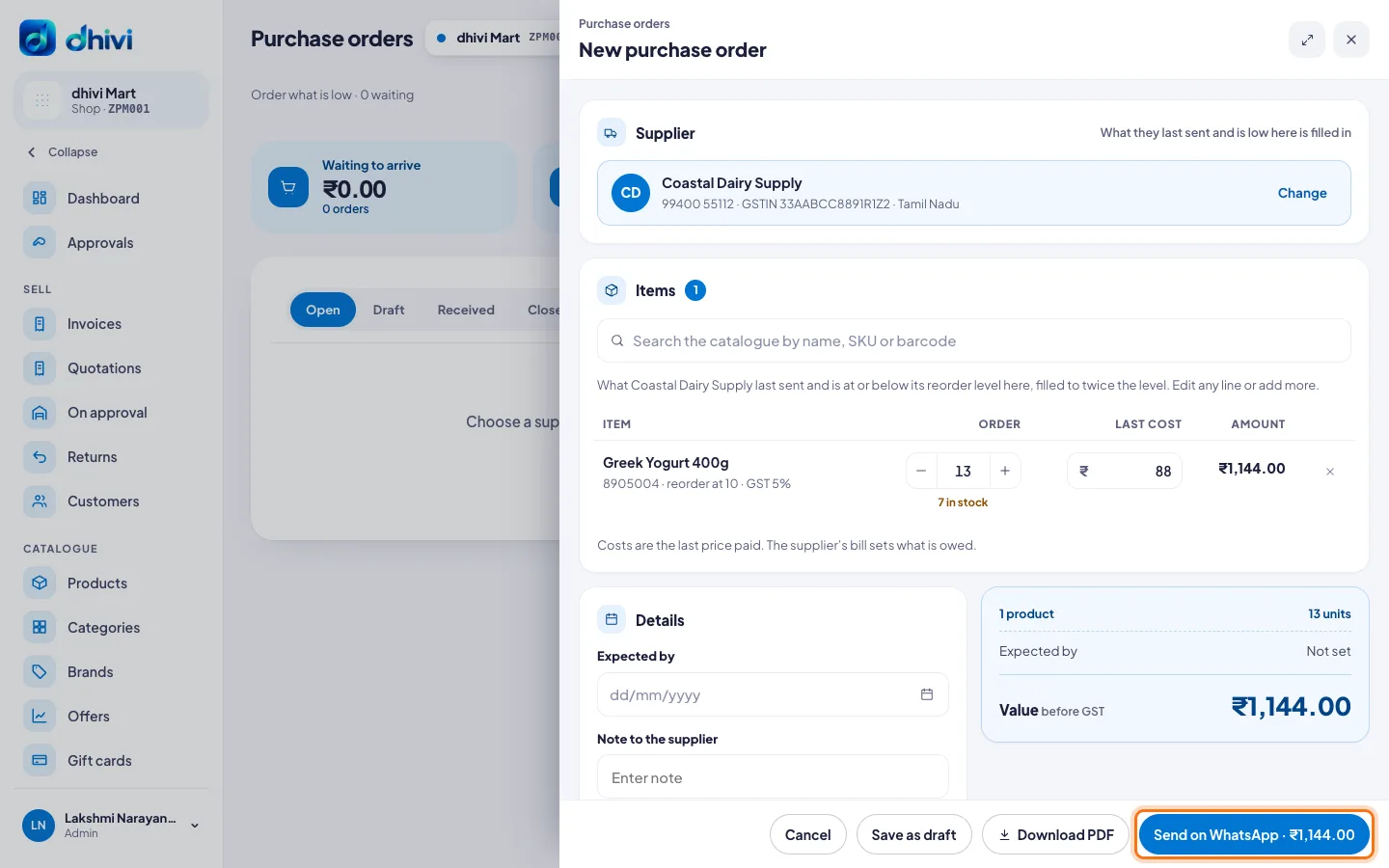
Costs are the last price you paid. The supplier's bill sets what you owe.
Receive against the order
- Click the order in the list.
- Click Receive a delivery.
- The lines still to come are filled in. Change the quantities to what arrived, and save.
Some items did not come? The order stays Part received until the rest arrives.
Good to know
- The tabs show Open, Draft, Received, Closed and All orders.
- Late counts orders past their expected date.
- The rest will not come? Click More, then Close the order.
- Nothing received yet? Click More, then Cancel the order. It stays on file, marked cancelled.
- You can change an order with Edit until something is received against it.