Give loyalty points, and move customers up by what they spend
Customers earn points on what they pay and use them on a later bill. Points are for the whole business: earned at one shop, used at all. A scheme can also move customers up by what they spend, like Regular → Silver → Gold.
Only an admin can set up schemes.
Make a scheme
- Click Settings in the menu, then Loyalty under Customers.
- Click New scheme.
- Enter the Name, like Regular.
- Under Earning, enter 1 point for every ₹ amount, what A point is worth, Use at least so many points at a time, and Points lapse after so many months. Or switch on Points never lapse.
- The line below shows what a ₹1,000 bill earns. Check it.
- Click Save.
The first scheme is the default. New customers, added at the POS or in the back office, join it. Customers you had before the first scheme are on no scheme and earn nothing. The page says how many; click Put them all on and the scheme's name.
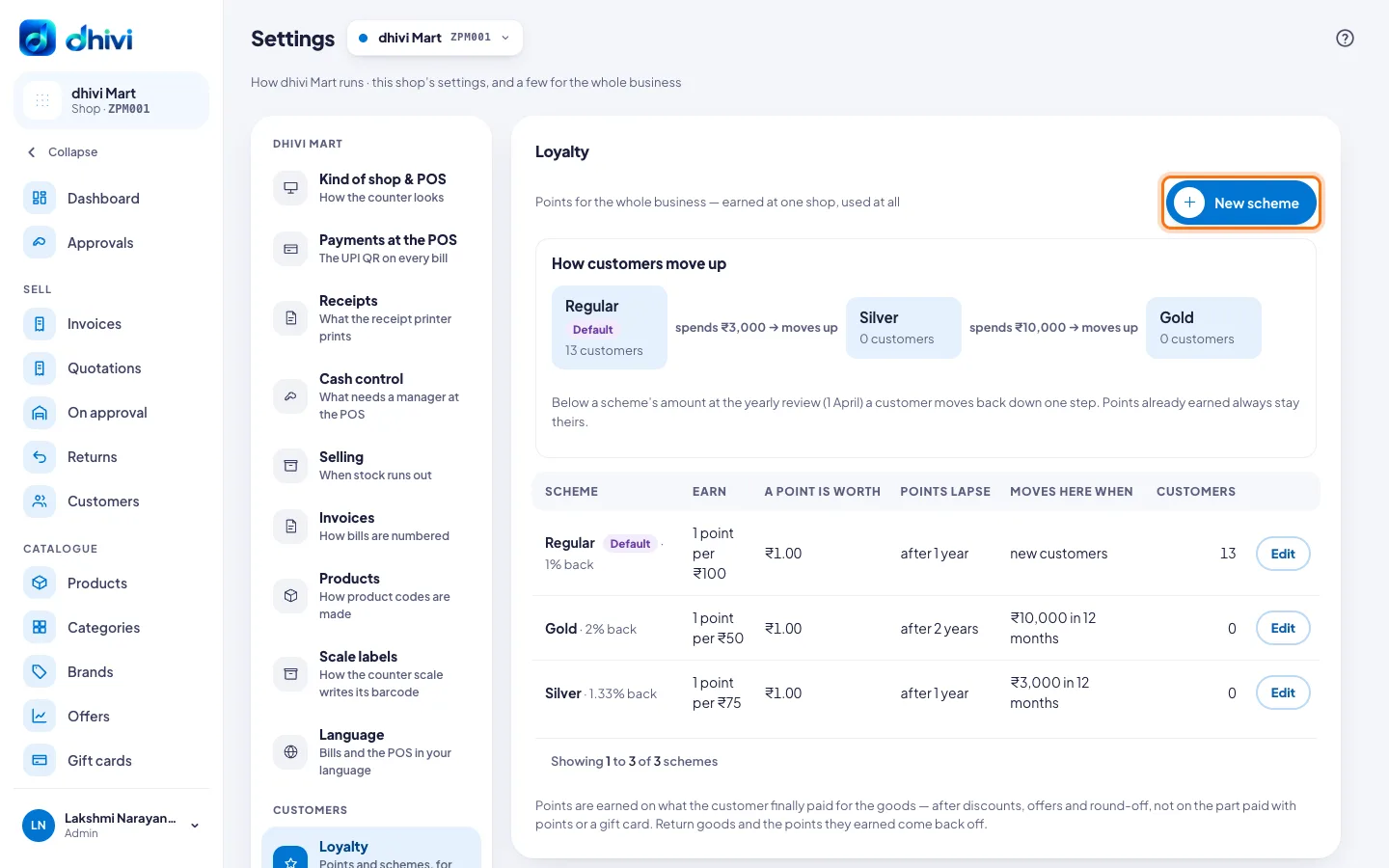
Move customers up by spend
- Open the scheme customers move up to, like Silver, and click Edit. Or make it with New scheme.
- Switch on Move customers here automatically.
- Choose the scheme they move up From, enter what they spend, and choose in the last so many months.
- To move them back at the yearly review, enter the amount they must spend to stay, and choose the day of the review.
- The panel says how many customers qualify now. Click See them for the list.
- Click Save. They move tonight.
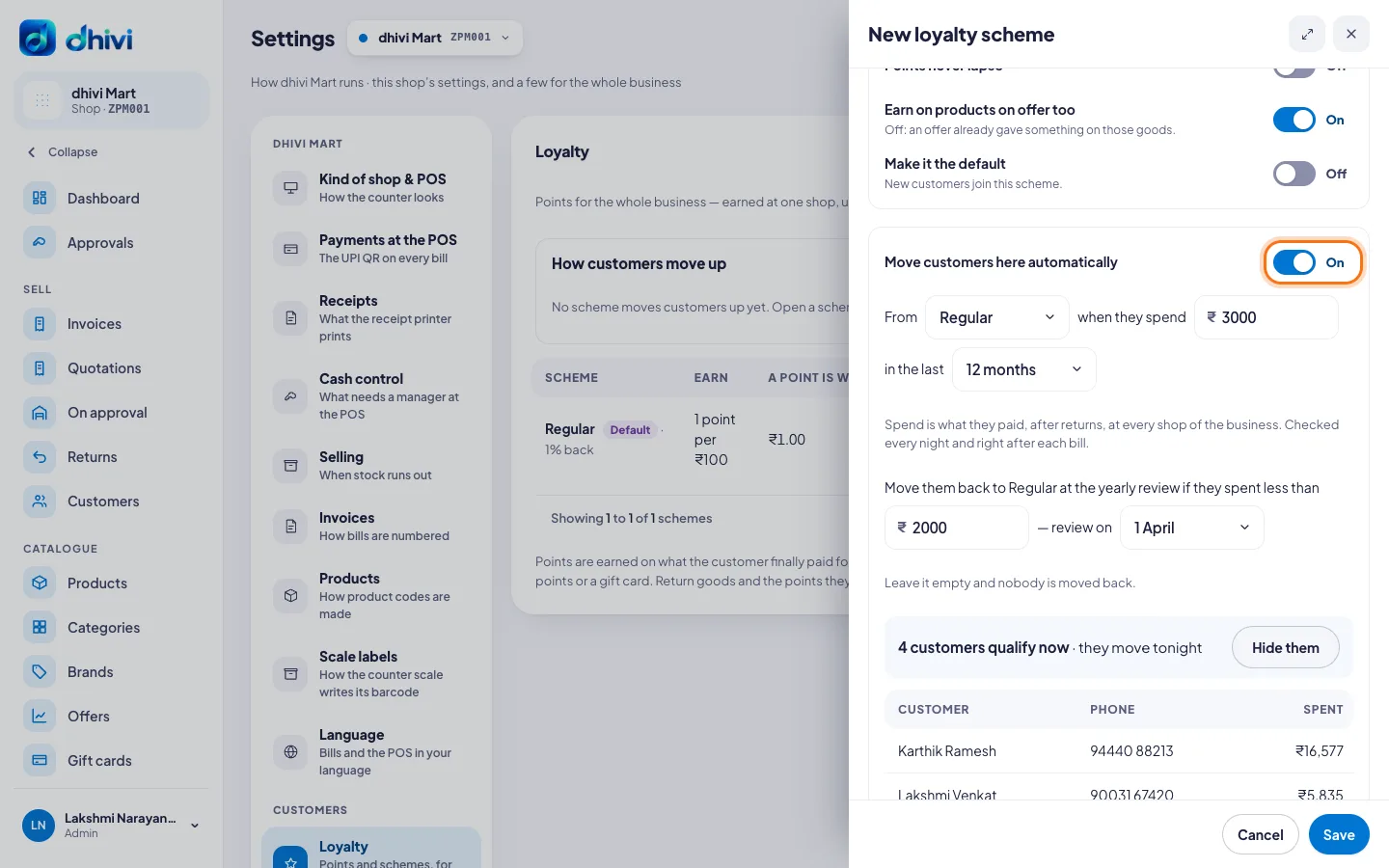
How customers move up on the Loyalty page shows the schemes in order, and how many customers are on each.
Use points at the POS
- Add the customer to the bill.
- At Pay, tap More, then Points.
- Change Points to use if you want to, then take the rest of the payment.
Points need internet at the POS.
Good to know
- Points are earned on what the customer finally paid for the goods — after discounts, offers and round-off, not on the part paid with points or a gift card.
- Switch off Earn on products on offer too if an offer already gives enough on those goods.
- Return goods and the points they earned come back off.
- Spend is what they paid, after returns, at every shop of the business. It is checked every night and right after each bill.
- A customer moves up one scheme at a time, and only if they meet each scheme's own amount.
- Customers move down only at the yearly review, one step at a time. Points already earned always stay theirs.
- To make another scheme the default, open it and click More, then Make it the default. To stop a scheme, switch off Active. Its customers keep the points they have.
- A change to a scheme applies to bills from then on.
- A manager can still put a customer on a scheme from their record. A scheme given by hand is not changed automatically until the yearly review. See See or change a customer's points.
- To send "You're now Gold" on WhatsApp, switch on Moved up a loyalty scheme in Messages.