Add a customer
Save regular customers so you can find them by phone at the POS and see what they buy.
Steps
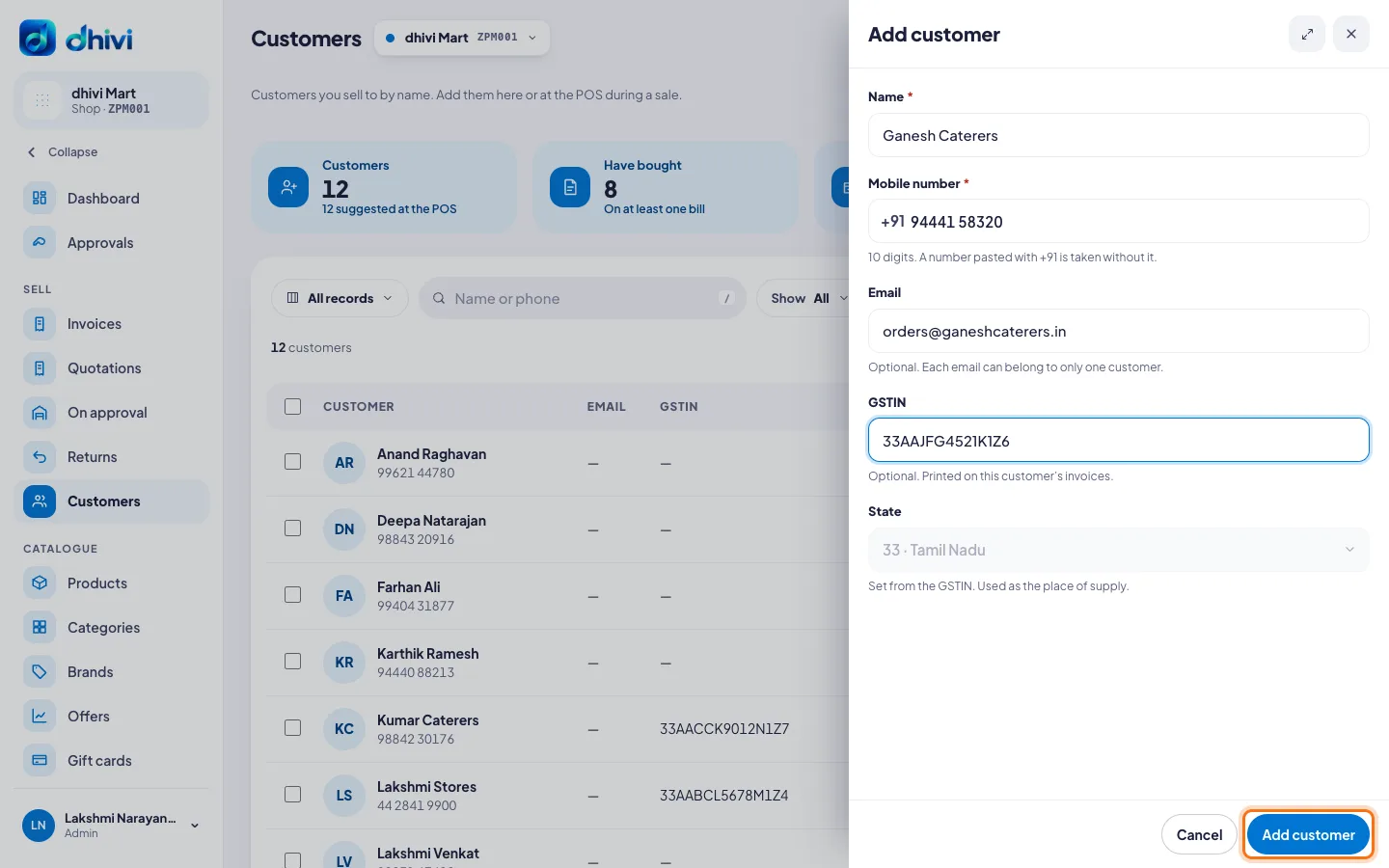
- Click Customers in the menu.
- Click Add customer.
- Type the Name and Mobile number: 10 digits.
- Add an Email if you like.
- For a business customer, add their GSTIN. It prints on their invoices, and the State is set from it.
- Click Add customer.
See a customer's history
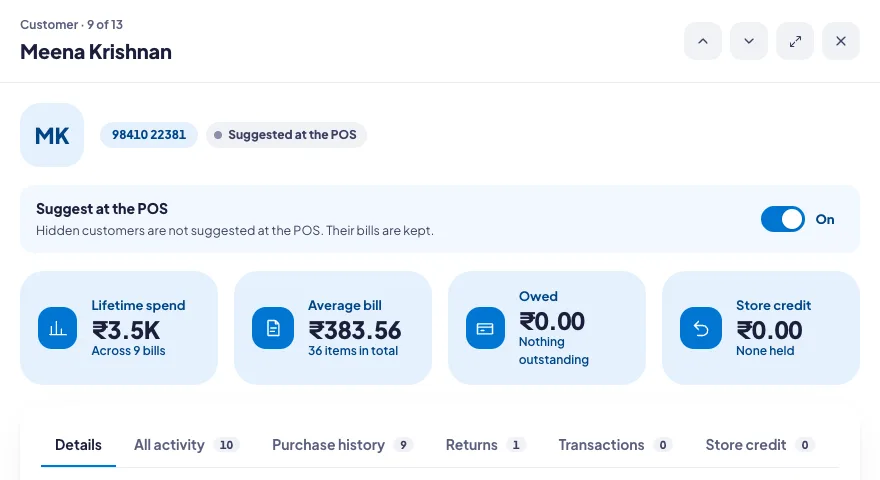
Click a customer in the list. You see what they have spent, what they owe, their store credit, and every bill, return and payment in the tabs below.
Good to know
- You can also add a customer at the POS while billing. See Add a customer to a bill.
- One mobile number belongs to one customer, so nobody is added twice. The same goes for an email.
- Suggest at the POS off hides a customer from the POS search. Their bills are kept.
- To change a customer's number or details later, see Change a customer's details.