Sell gift cards
A gift card is sold on its own, not on a bill, and used at Pay in any of your shops, in parts. No GST is charged when it is sold; GST is charged on what it buys.
Sell one in the back office
- Click Gift cards in the menu.
- Click New gift card.
- Enter the Amount, or tap a quick amount like ₹1,000.00.
- Under Customer, search for who it is for, or click New customer. Leave it empty for a walk-in.
- To send it by email, enter the Email. It is not kept with the card.
- Check Valid till, and choose how it was Paid by: Cash, UPI or Card. Add the UPI or card slip number under Reference if you like.
- Click Sell and the amount, like Sell ₹2,000.00.
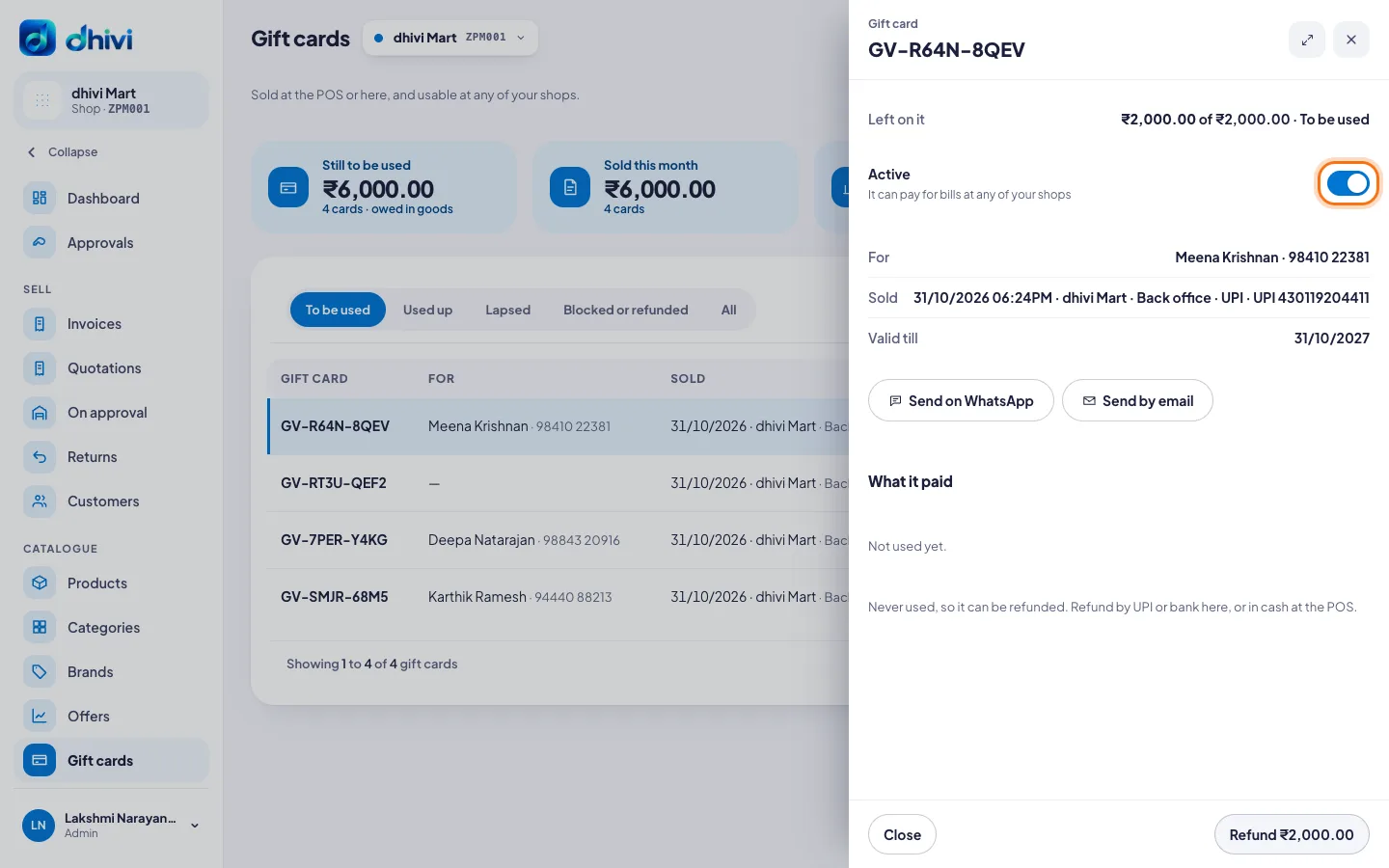
- The card opens with its code. Click Send on WhatsApp or Send by email to send it.
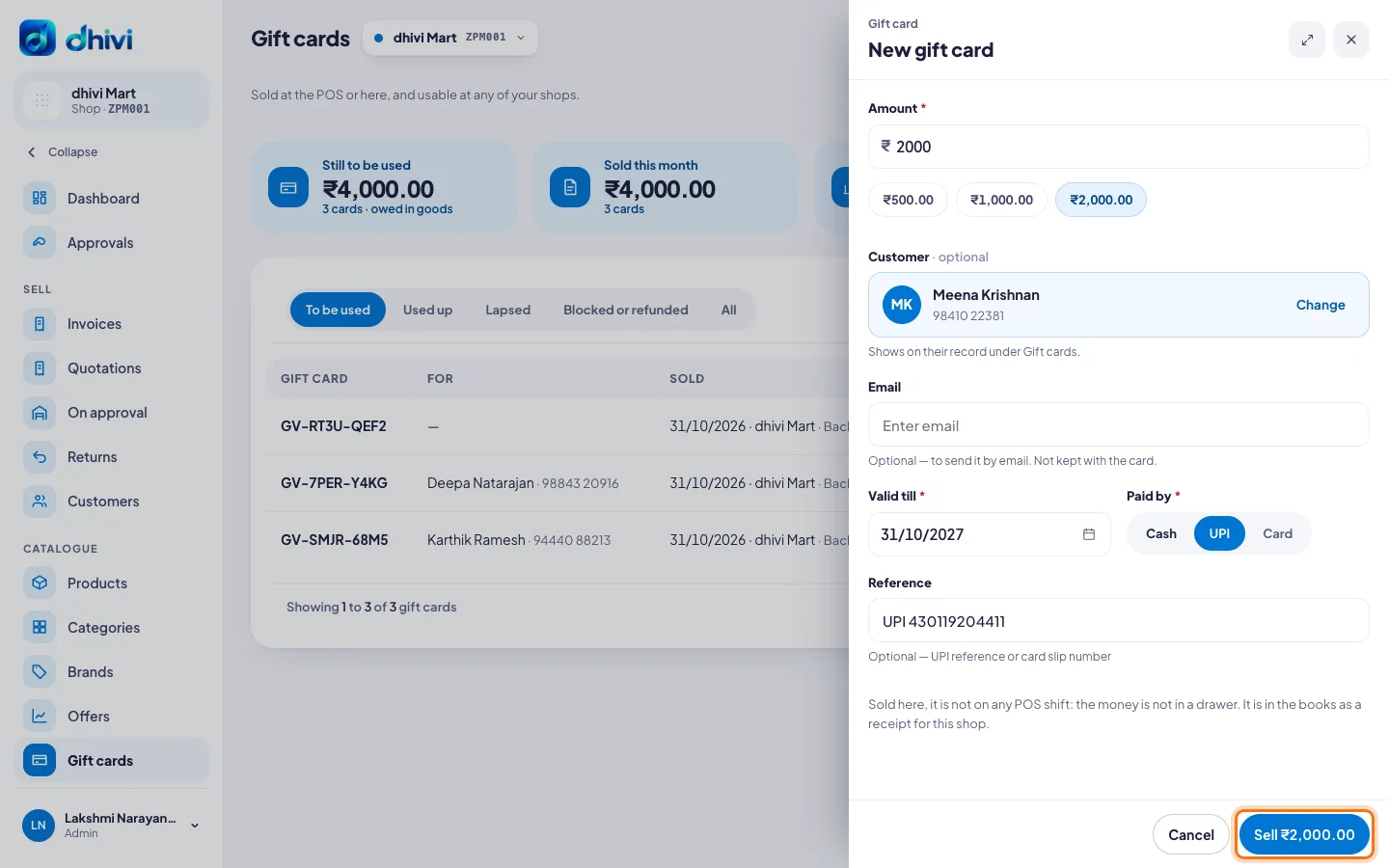
Money taken in the back office is not in any POS drawer. It is in the books as a receipt for the shop.
Sell or use one at the POS
- To sell one, open Gift vouchers (the gift icon at the top, or More on a phone), then Sell.
- To pay with one, at Pay tap More, then Gift voucher, and scan or type its code.
Gift cards need internet at the POS.
Find, block or refund one
- Click Gift cards in the menu.
- Search by code, name or phone, and click the card.
- To stop it being used, turn off Active and enter the reason, then click Block.
- To give the money back for a card never used, click Refund and the amount. Choose UPI or Bank transfer. To refund in cash, do it at the POS.
Good to know
- The tabs show cards To be used, Used up, Lapsed, and Blocked or refunded.
- Still to be used is what your shops owe in goods.
- What it paid on a card lists each bill it paid towards, and at which shop.
- A blocked card can be turned back on. What was left on it stays.
- A card that paid part of a bill cannot be refunded.
- Amounts, validity and refunds are set in Settings, then Gift cards. See Gift card settings.