Set up gift cards
Choose the amounts your shops sell gift cards for, how long a card lasts, and what managers can do with one. These are the same at every shop.
Steps
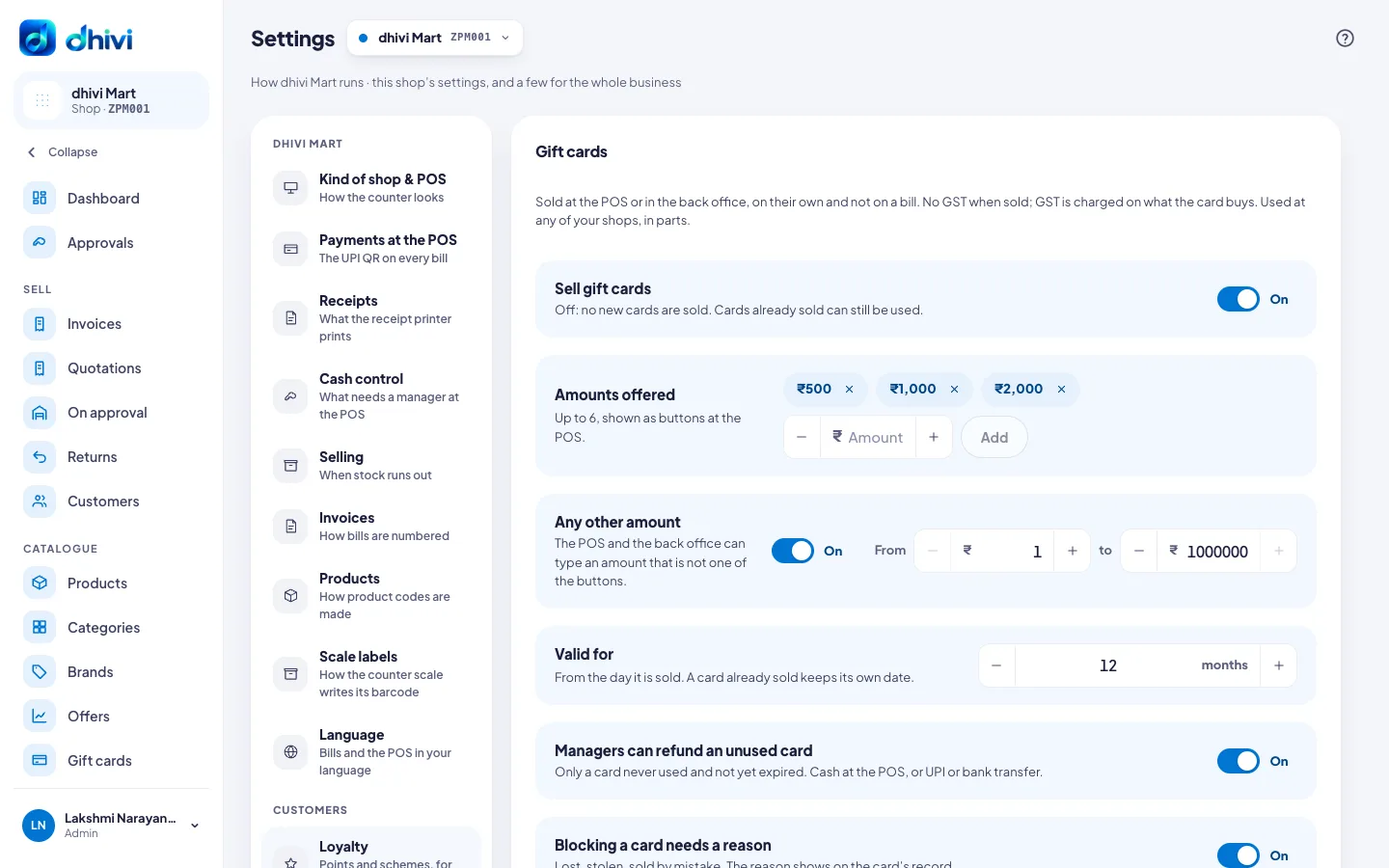
- In the menu, under Setup, click Settings, then Gift cards under Customers.
- Turn Sell gift cards on or off.
- Under Amounts offered, click × to remove an amount. To add one, enter it under Amount and click Add. Up to 6, shown as buttons at the POS.
- Turn on Any other amount to allow other amounts, and enter the lowest under From and the highest under to.
- Enter how many months a card is Valid for.
- Choose whether Managers can refund an unused card, and whether Blocking a card needs a reason.
- Click Save.
Good to know
- With Sell gift cards off, cards already sold can still be used.
- A card already sold keeps its own date when you change Valid for.