Take cash out of the drawer, or put it in
Record every rupee that leaves or enters the drawer, so the count matches at closing.
Steps
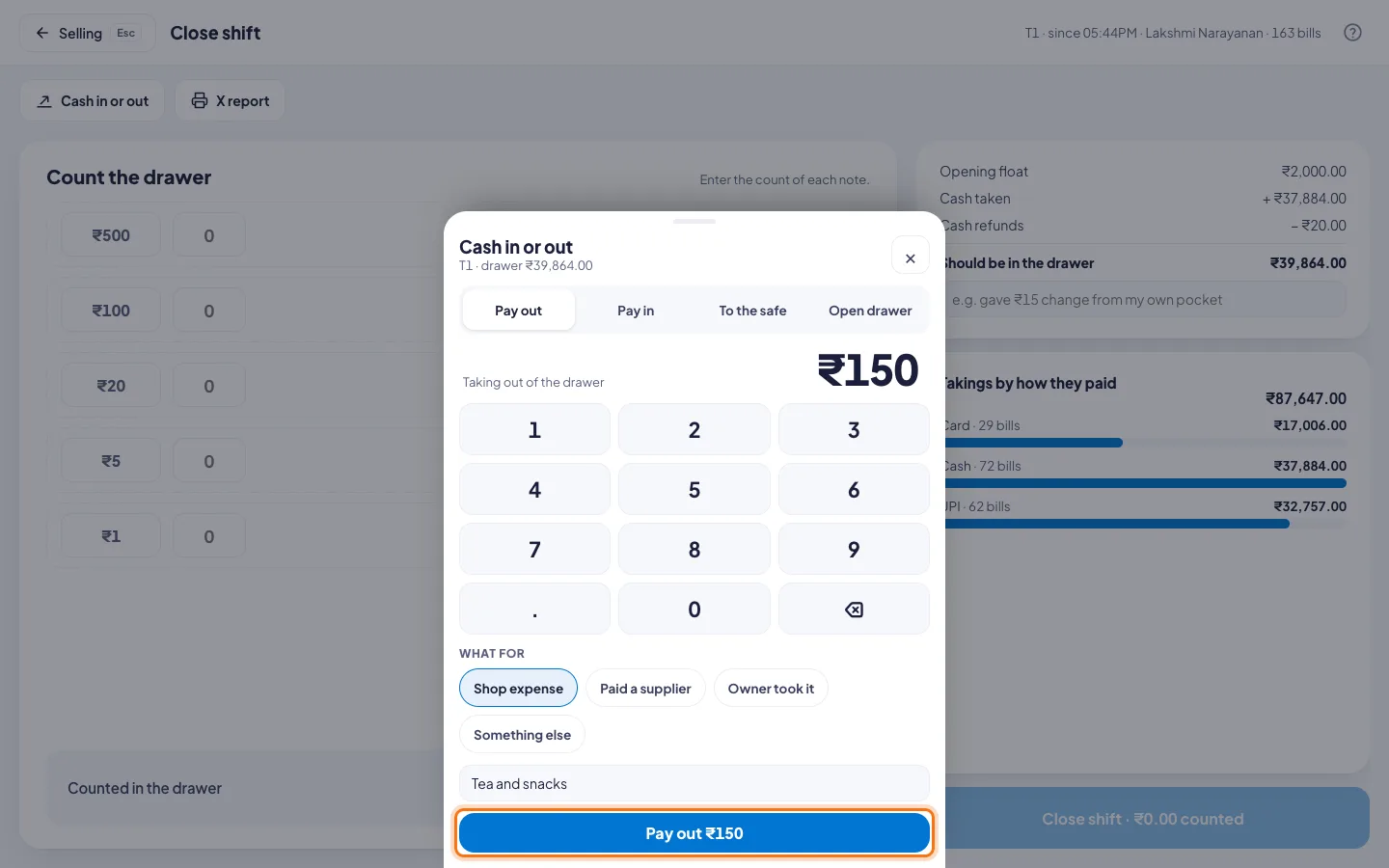
- Click Shift since… at the top.
- Click Cash in or out.
- Pick one:
- Pay out: a shop expense, a supplier at the door, or the owner taking cash.
- Pay in: change brought from the bank.
- To the safe: too much cash in the drawer.
- Type the amount on the keypad.
- For a pay out, pick What for: Shop expense, Paid a supplier, Owner took it or Something else.
- Add a short note, for example Tea and snacks.
- Click the button at the bottom, for example Pay out ₹150.
Open the drawer without a sale
Click Open drawer, then Open the drawer. It goes on the shift report with your name.
Good to know
- A large pay out needs a manager's PIN. So may opening the drawer without a sale. See Set what needs a manager.
- Paying in and cash to the safe never need one.