Your back office at a glance
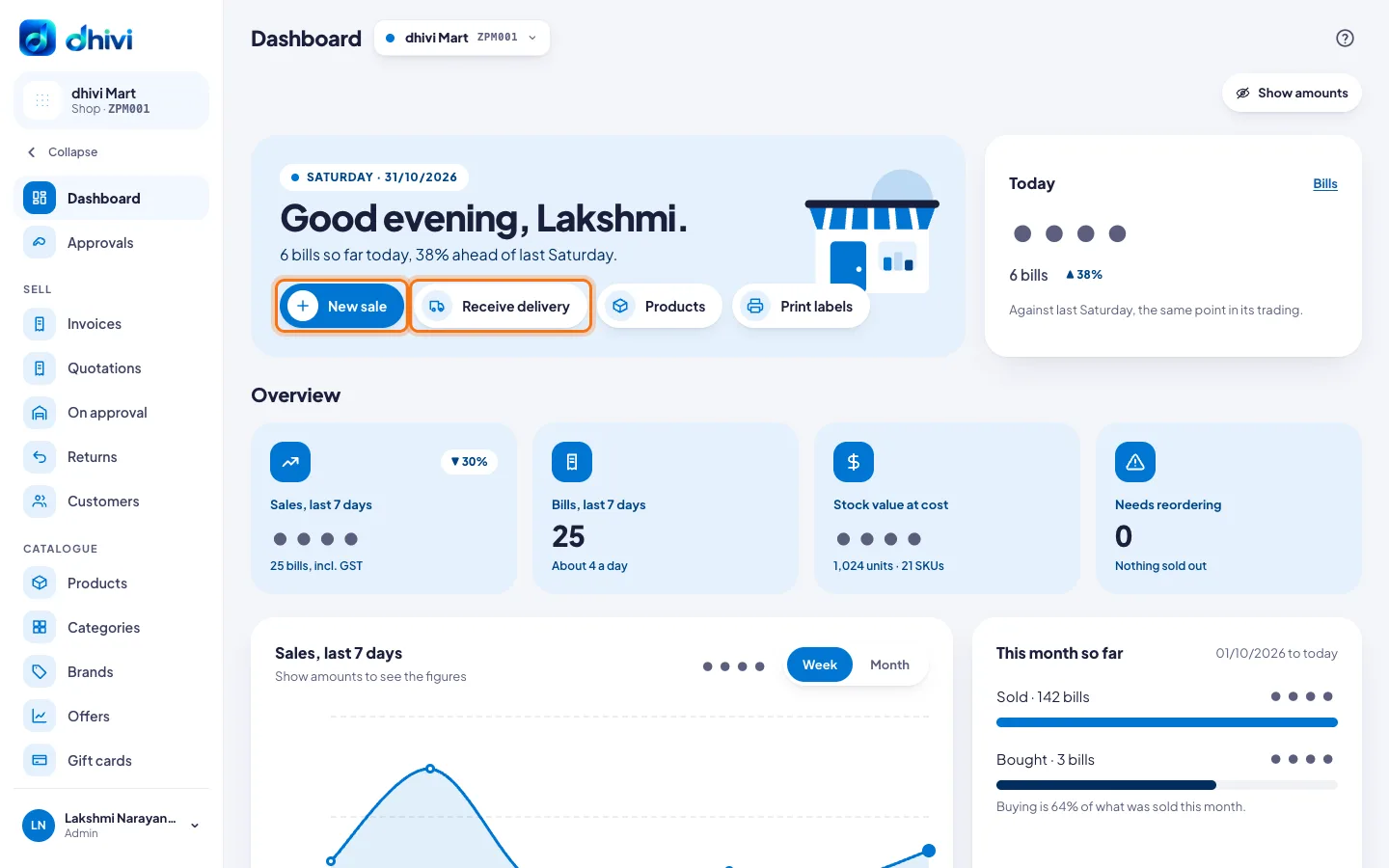
The back office is where you set up the shop and see how it is doing. It opens on the Dashboard.
What you see
- Today: bills so far, compared with the same time on the same day last week.
- Sales, last 7 days, Bills, last 7 days, Stock value at cost and Needs reordering.
- This month so far: what you sold and what you bought.
- Latest bills, Running low, Recent deliveries and Stock movements, newest first. Click See all for the full list.
Steps to use it
- Click Show amounts to see the money. Click it again to hide it when a customer can see your screen.
- Click New sale to raise a bill from the back office.
- Click Receive delivery when goods arrive from a supplier. See Receive a delivery from a supplier.
- Click Products or Print labels to go straight there.
- Use the menu on the left for everything else: Sell, Catalogue, Stock, Purchases, Money, Reports, Grow, Labels & print and Setup.
More than one shop?
The shop picker beside the page title says which shops you are looking at. With All shops, the Dashboard shows today across every shop, a card for each shop, and the last 7 days by shop. See Open another branch.
Good to know
- On a phone, the menu is a bar along the bottom: Home, Sales, Products, Approvals and More for the rest.
- The ? at the top right of every page opens the help article for that page.