Choose how product codes are made
Set a pattern, and every new product gets its code (SKU) by itself when nobody types one. Or leave it empty and type every code by hand.
Steps
- In the menu, under Setup, click Settings, then Products.
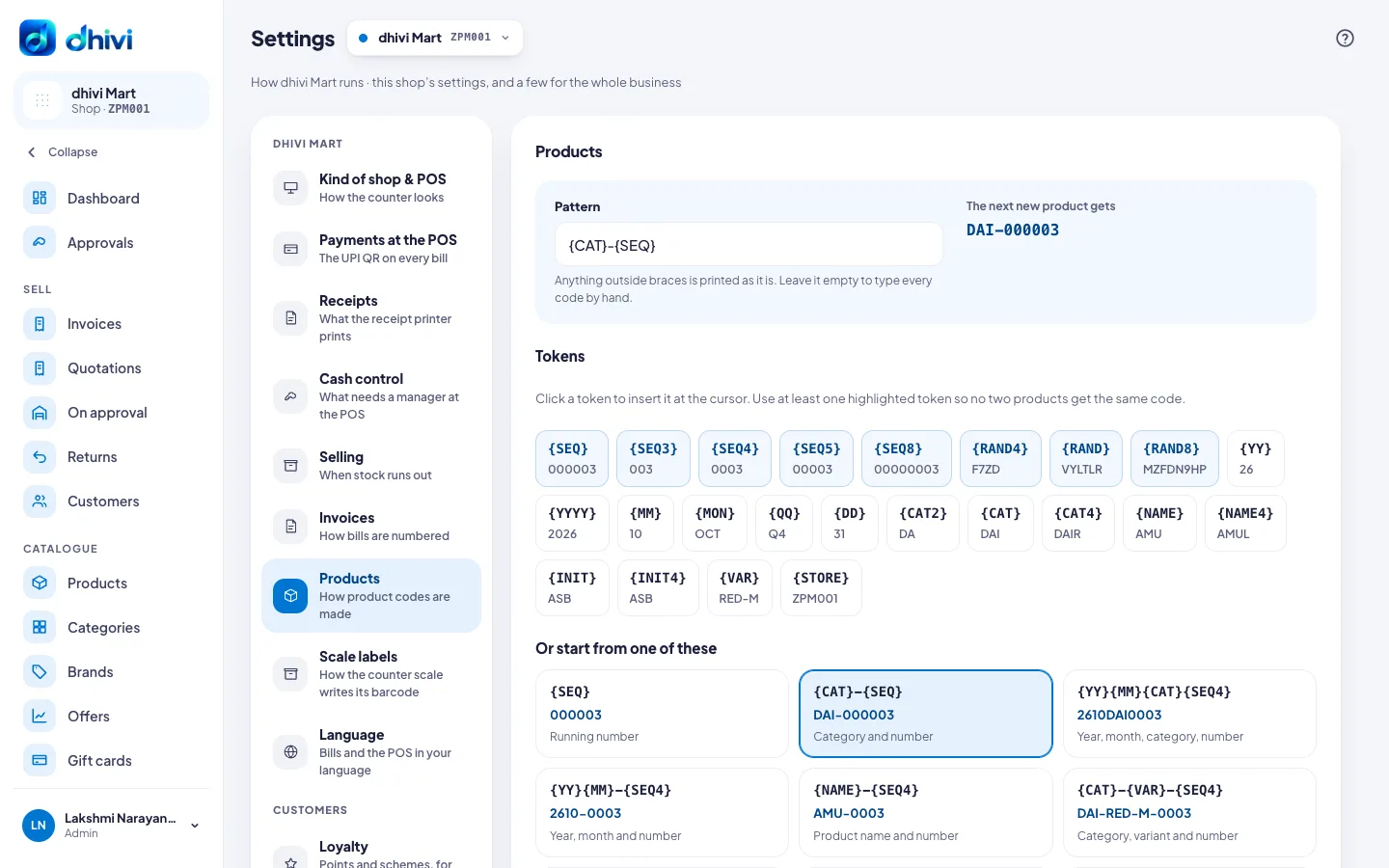
- Under Pattern, type the pattern, or click a token under Tokens to put it in at the cursor. Or pick one under Or start from one of these.
- Check The next new product gets to see an example.
- Under Numbering, set the Counter to the next running number if you need to.
- Click Save product codes.
Good to know
- Anything outside braces is printed as it is. For example, {YY}{MM}{CAT}{SEQ} gives the year, the month, the category and a running number.
- Use at least one highlighted token, so no two products get the same code.
- The Counter can only move forward, because earlier numbers are already on printed labels.
- Click Type codes by hand to stop making codes.