Print or share the bill
After payment you see Paid, the change to give back, and the receipt as it prints.
Steps
- With Print ✓ on, the bill has printed already. Click Print again for another copy.
- Click WhatsApp to send it to the customer's phone. The bill needs a customer with a phone number.
- Click New sale, or press Enter, for the next customer. The POS also moves on by itself after 30 seconds.
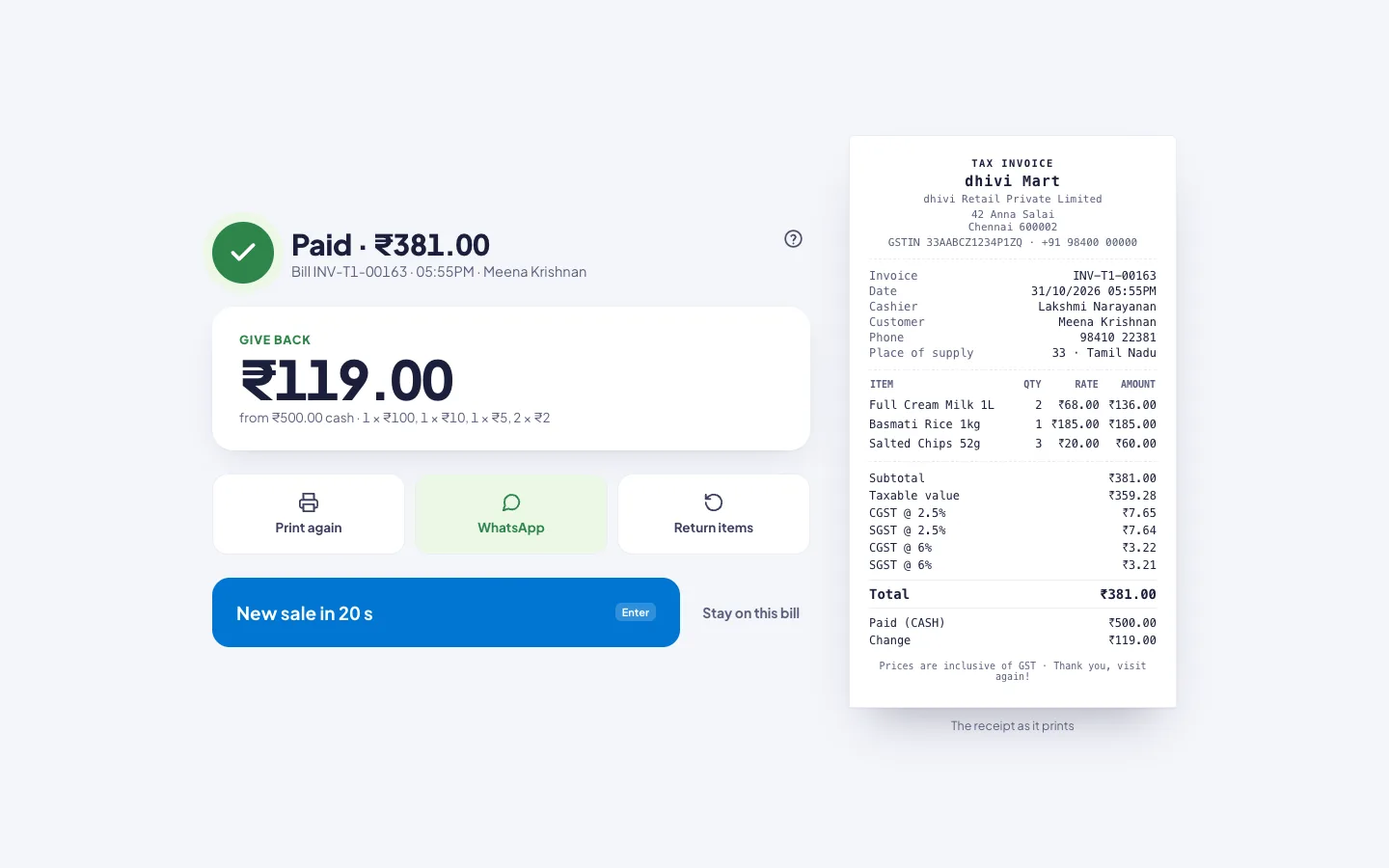
Need a moment? Click Stay on this bill to stop the countdown.
Print an old bill again
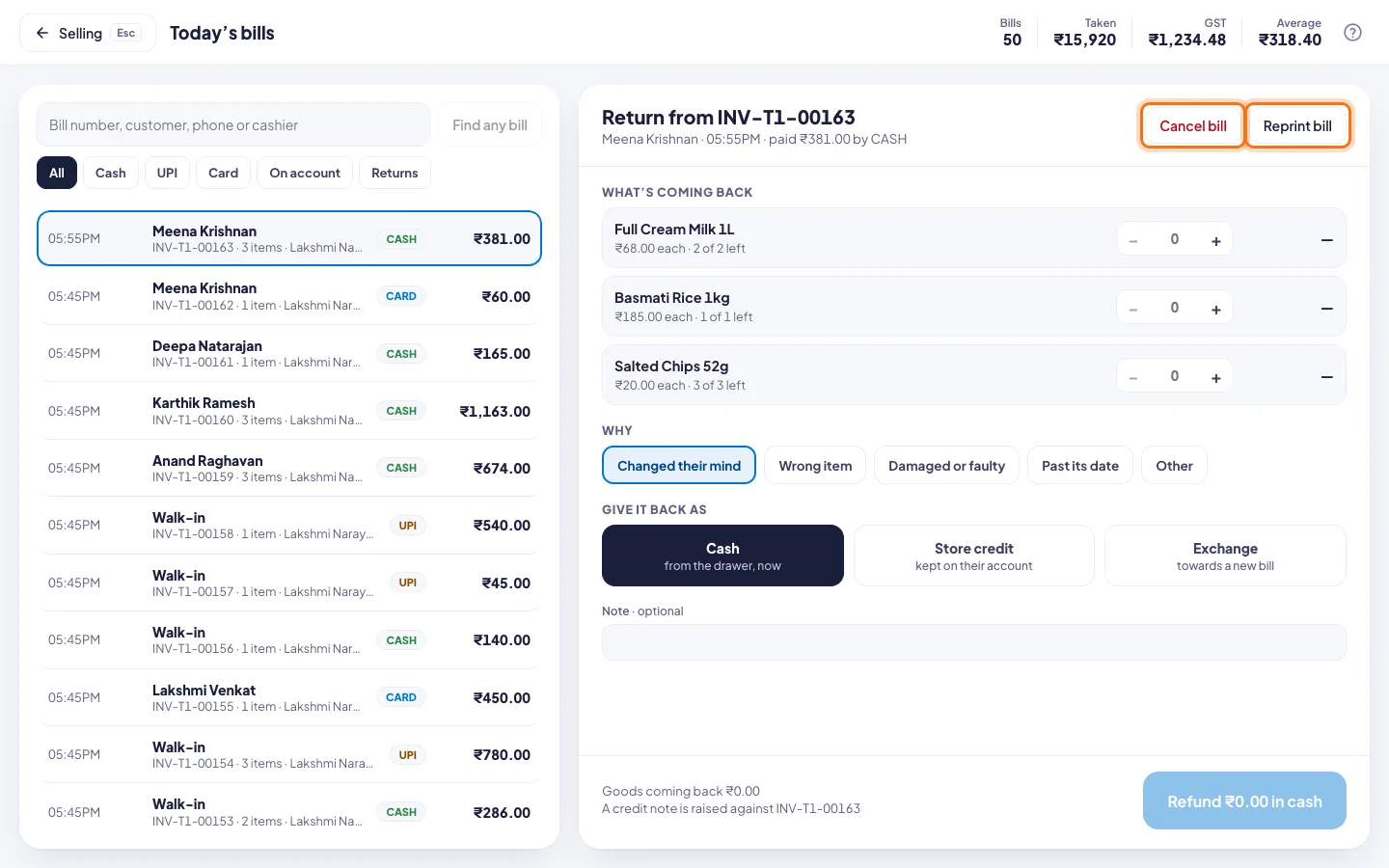
- Click the clock button at the top for Today's bills.
- Click the bill. Search by bill number, customer, phone or cashier.
- Click Reprint bill.
Good to know
- To reprint the bill you just made, press Ctrl K and pick Reprint the last bill.
- A bill from an earlier day or another shop? In Today's bills, type its number and click Find any bill.