Hold a bill and serve the next customer
A customer forgot something? Hold their bill and bill the next person.
Steps
- Click Hold, or press F4.
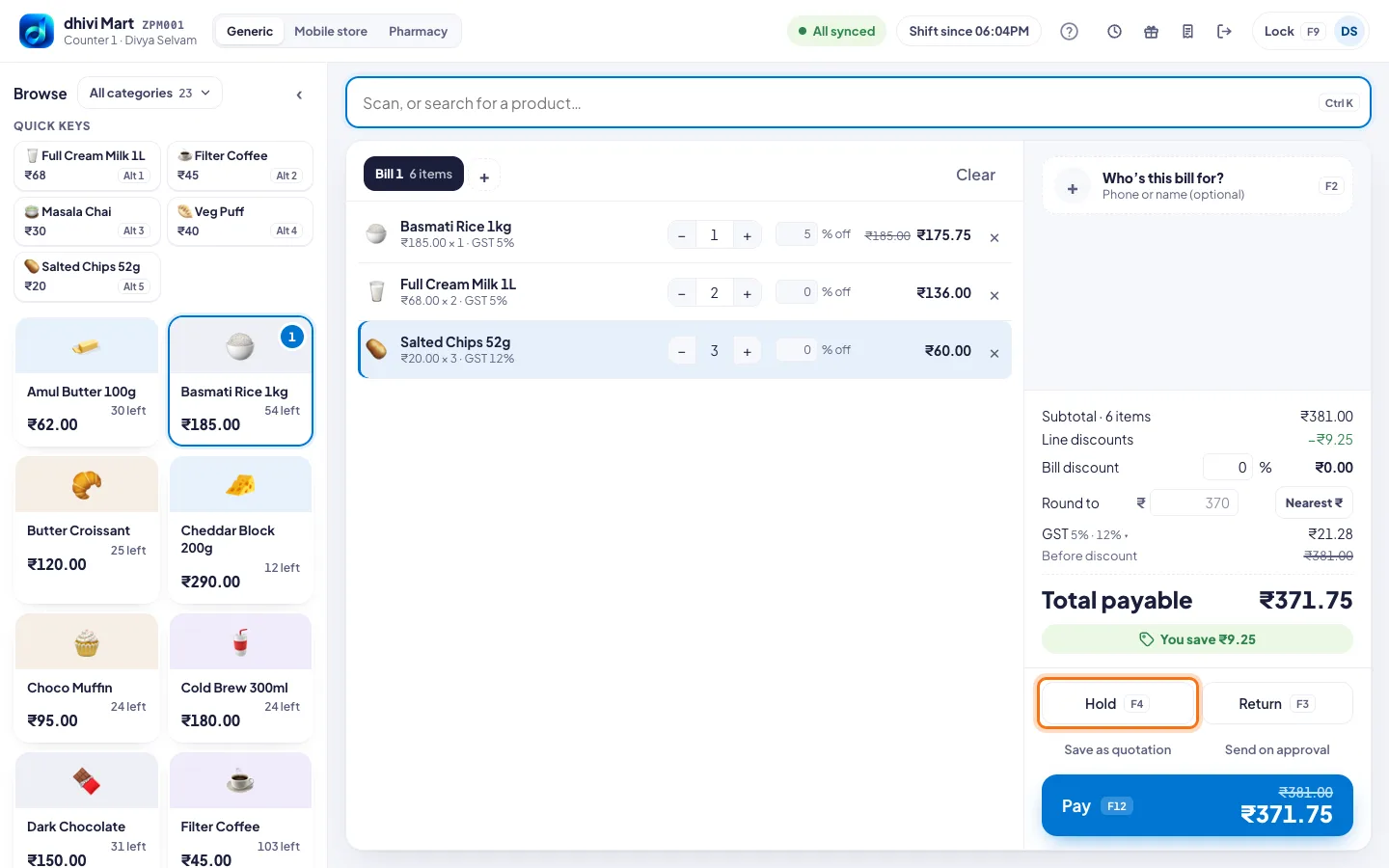
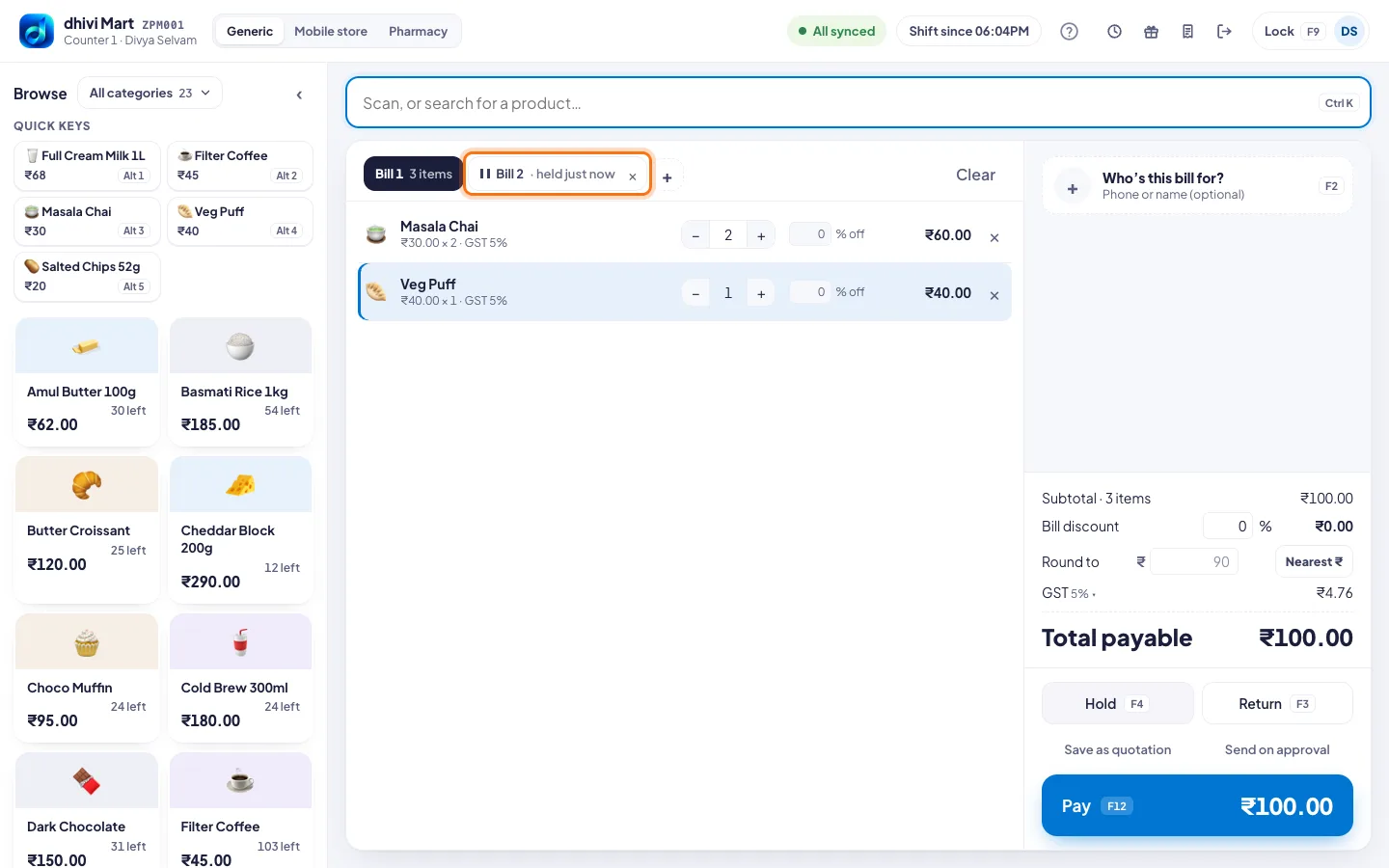
- The bill becomes a tab at the top, marked held. A new empty bill opens.
- Bill the next customer as usual.
- When the first customer is back, click their tab. Their items are all there.
Good to know
- + beside the tabs does the same as Hold: it holds this bill and starts another.
- Click × on a held tab to throw that bill away. The POS asks first.