Add a customer to a bill
Put a customer's name on the bill to keep their history, give store credit or share the bill on WhatsApp.
Steps
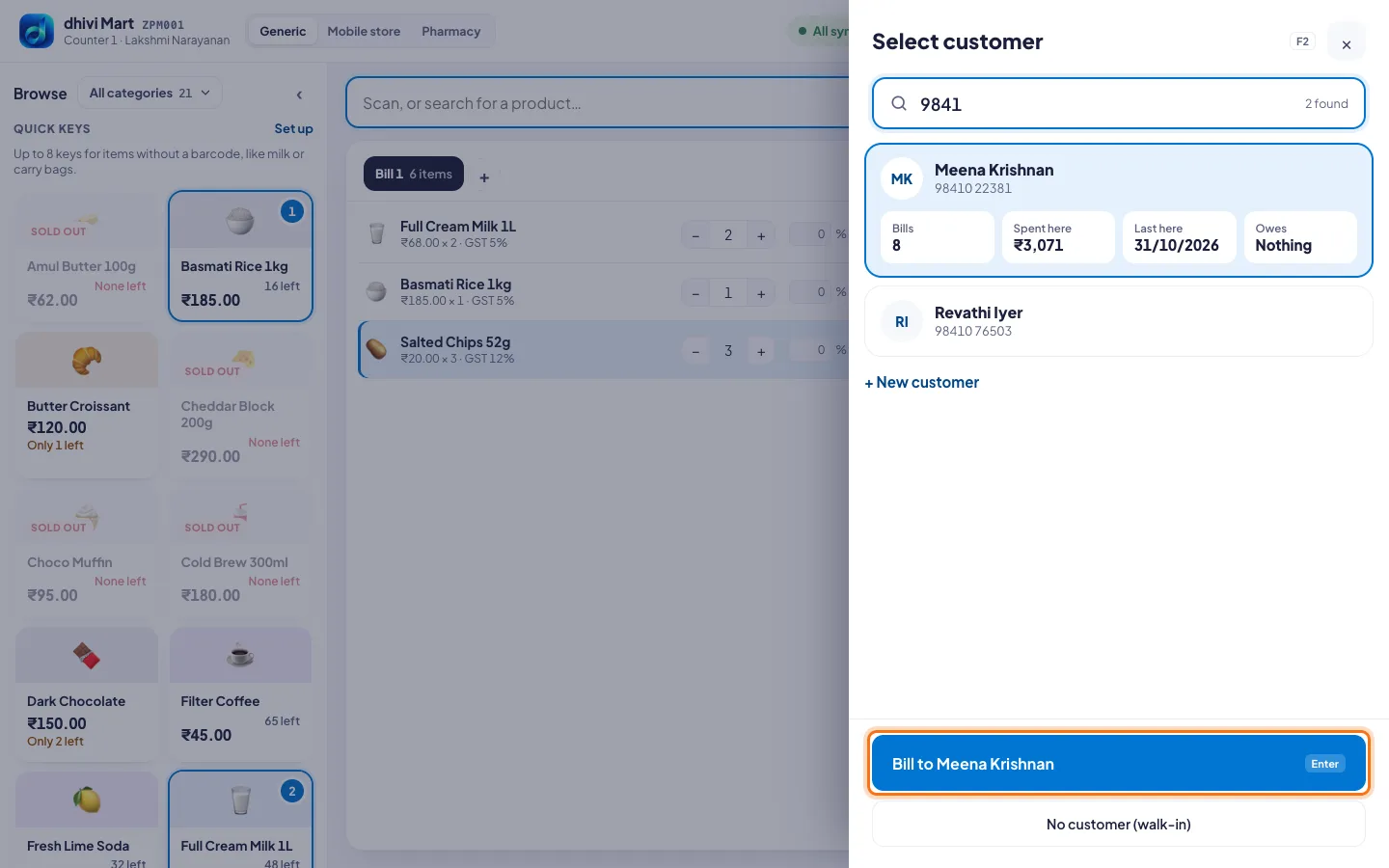
- Click Who's this bill for?, or press F2.
- Under Select customer, type their phone number or name.
- Click the customer. Their bills, what they spent, their last visit and what they owe show on the card.
- Click Bill to and their name, or press Enter.
A new customer
- Click + New customer.
- Type their Name and Mobile number.
- For a business bill, click + Add GSTIN (business bill) and type it.
- Click Add customer and bill.
Good to know
- No name needed? Click No customer (walk-in).
- To take the customer off the bill, click × on their card.