See your sales
See what sold, when, who sold it and how customers paid.
Steps
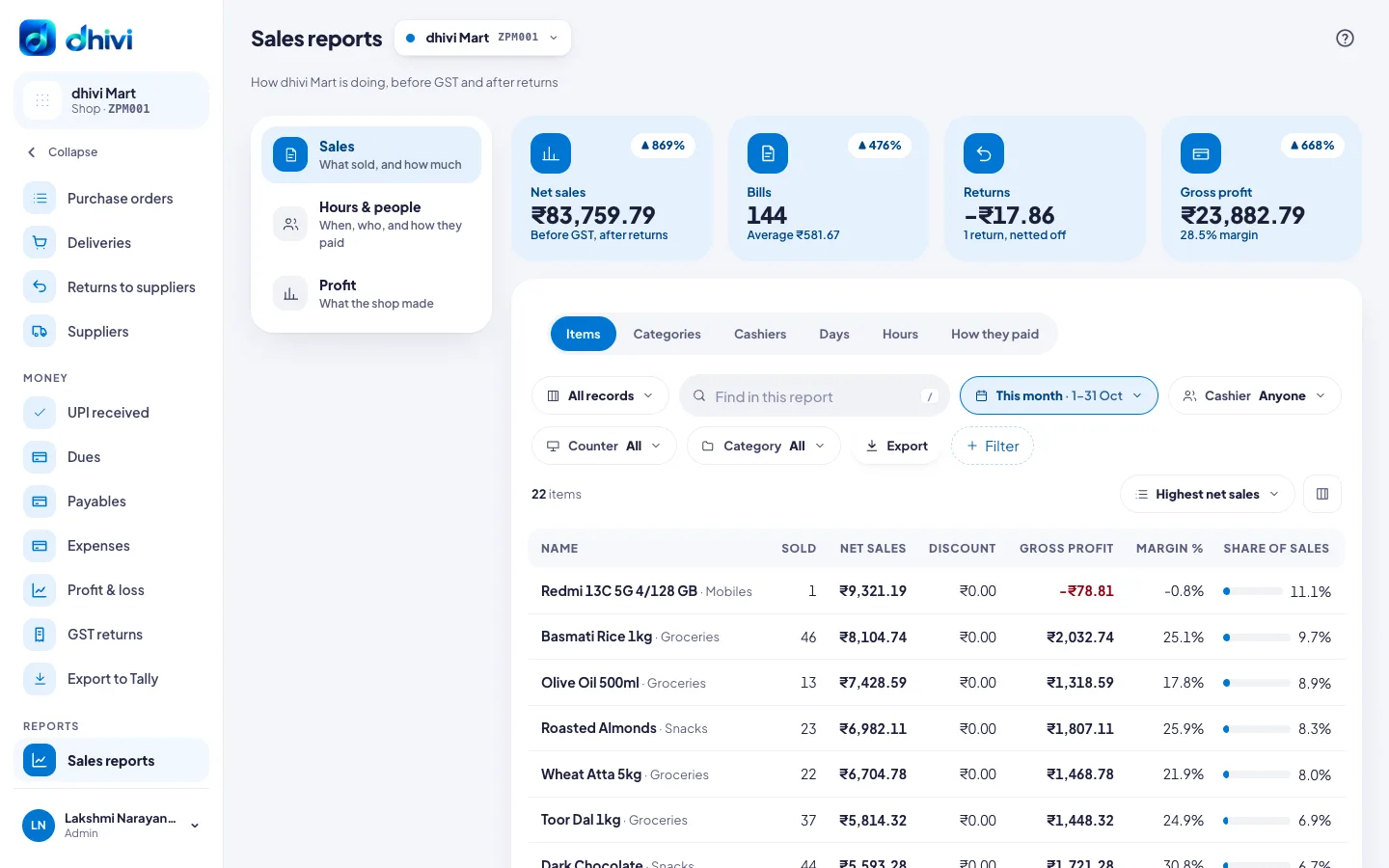
- Click Sales reports in the menu.
- Pick the dates with the date button, for example This month.
- Pick a view: Items, Categories, Cashiers, Days, Hours or How they paid.
- Narrow it down with Cashier, Counter or Category if you need to.
- Click Export to download it.
Good to know
- Sales are shown before GST and after returns.
- Hours shows your busy times by weekday and hour.
- The boxes on the left switch between Sales, Hours & people and Profit.
- Type in Find in this report to find one item, cashier or category.