See your profit and loss
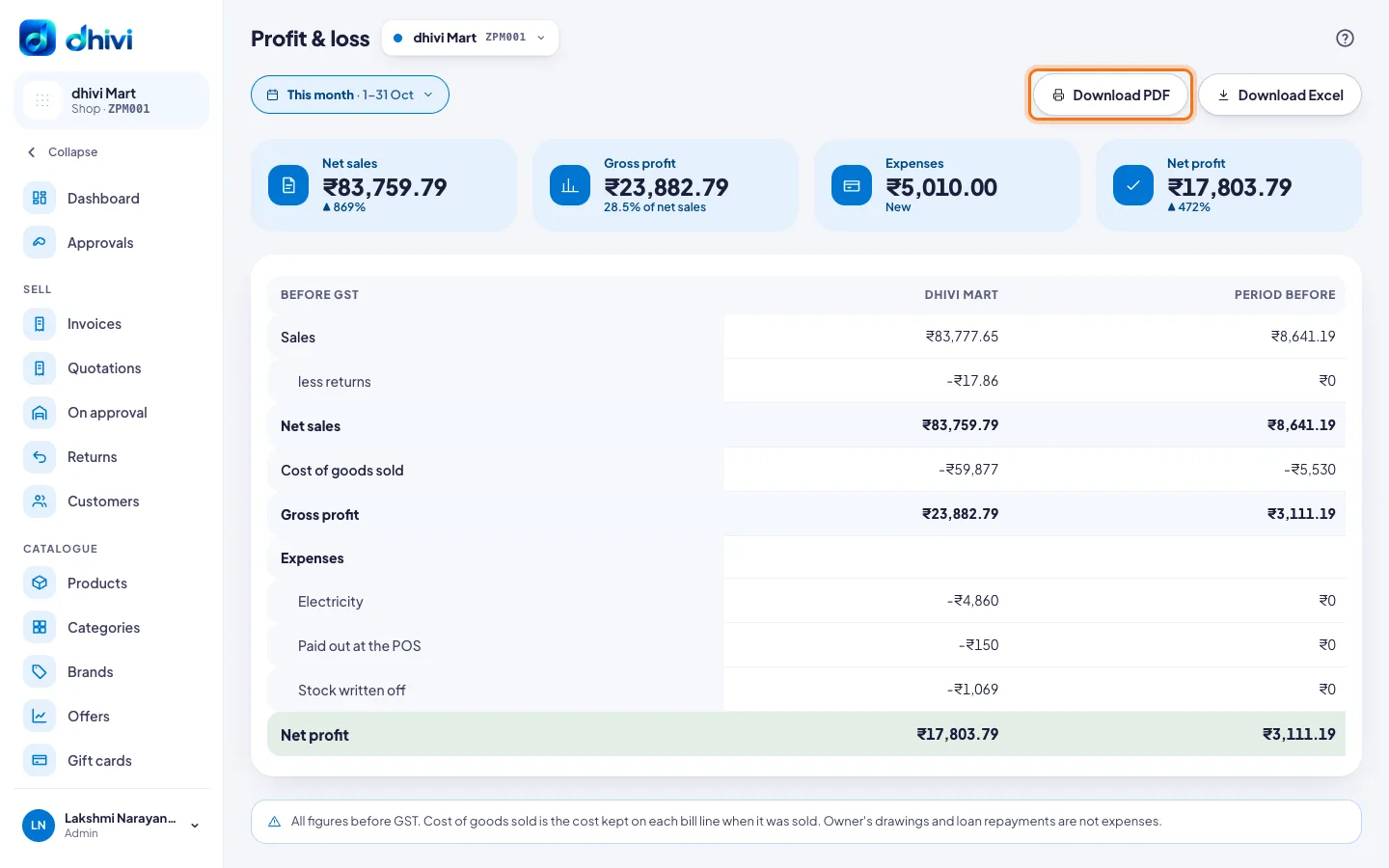
Profit & loss shows what the shop made over a period: sales less returns, less the cost of what was sold, less your expenses and stock written off. All figures are before GST.
See it
- Click Profit & loss under Money in the menu.
- Choose the dates at the top, like this month or last month.
The table shows:
- Sales, less returns, is Net sales.
- Less Cost of goods sold is Gross profit.
- Less your Expenses, by category, and Stock written off, is Net profit.
Period before shows the same figures for the period just before, to compare.
Download it
Click Download PDF or Download Excel.
Good to know
- With several shops picked, there is a column for each shop and one for all of them.
- Cost of goods sold uses the cost kept on each bill line when it was sold.
- Owner's drawings and loan repayments are not expenses.
- Add your costs in Expenses. For profit by product or category, see Profit under Reports.