Offers and discounts at the POS
Offers come off the bill by themselves. Your own discount goes on top.
Offers
You do nothing. When a bill matches an offer, the POS takes it off by itself and shows the offer's name under the item.
- Each item gets the offer that saves the customer most.
- When a customer is close to an offer, the POS tells you. For example: Add 1 more: Buy 2 get 1 free.
- To create offers, see Create an offer.
Your own discount
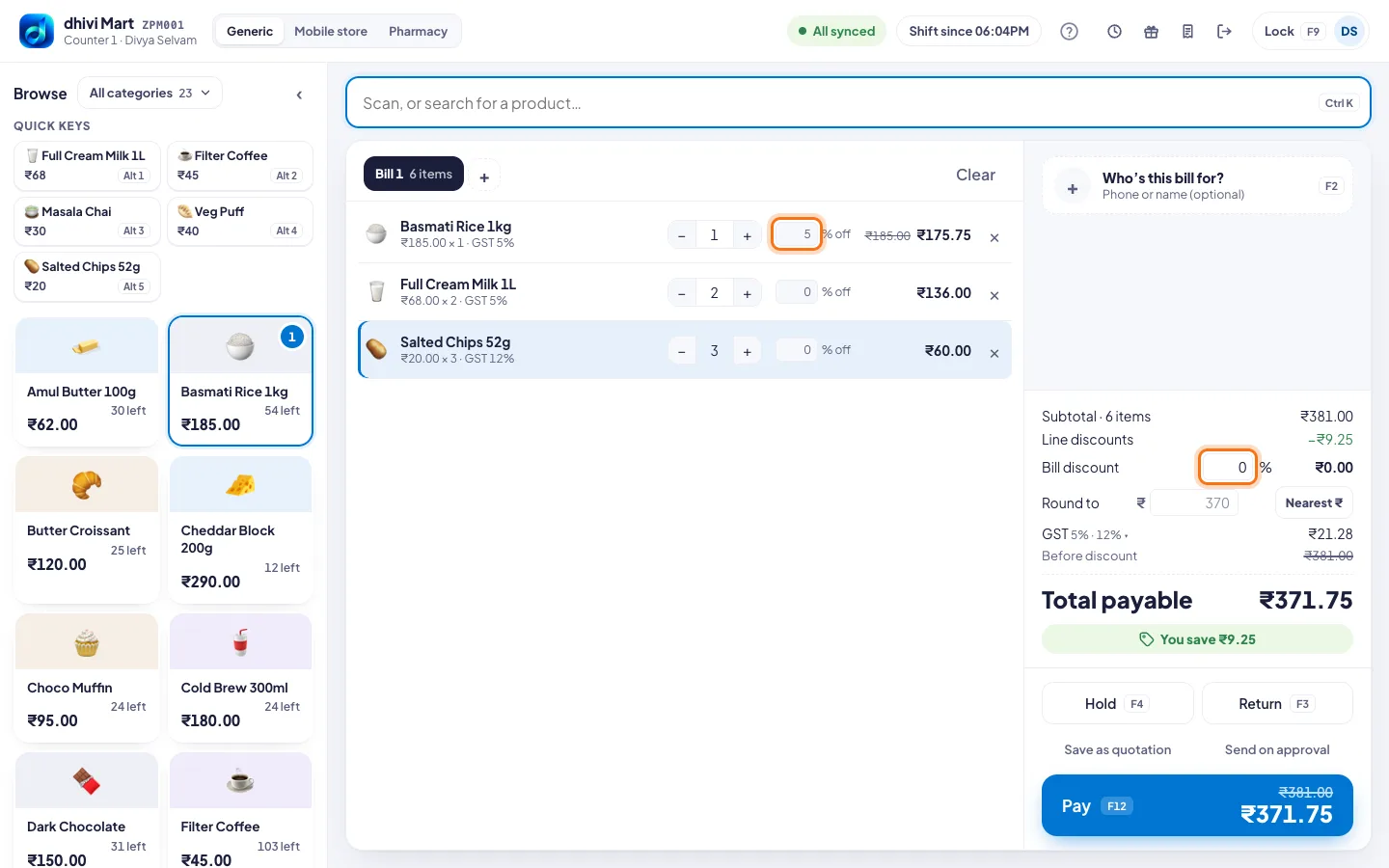
- On an item's line, type the % off.
- Or, for the whole bill, type the % next to Bill discount.
The bill shows You save and the amount.
Round the bill
- Click Nearest ₹ to round to the nearest rupee. For example ₹205.75 becomes ₹206. It shows as a Round off line, not a discount.
- Or type a lower amount in Round to ₹, for example ₹200 for a bill of ₹205.75. The difference comes off as a discount, the same % on every item.
Good to know
- Above your limit, a manager types their PIN on your screen. See Set what needs a manager.