Create an offer
Offers are applied by the POS by itself. The cashier does nothing.
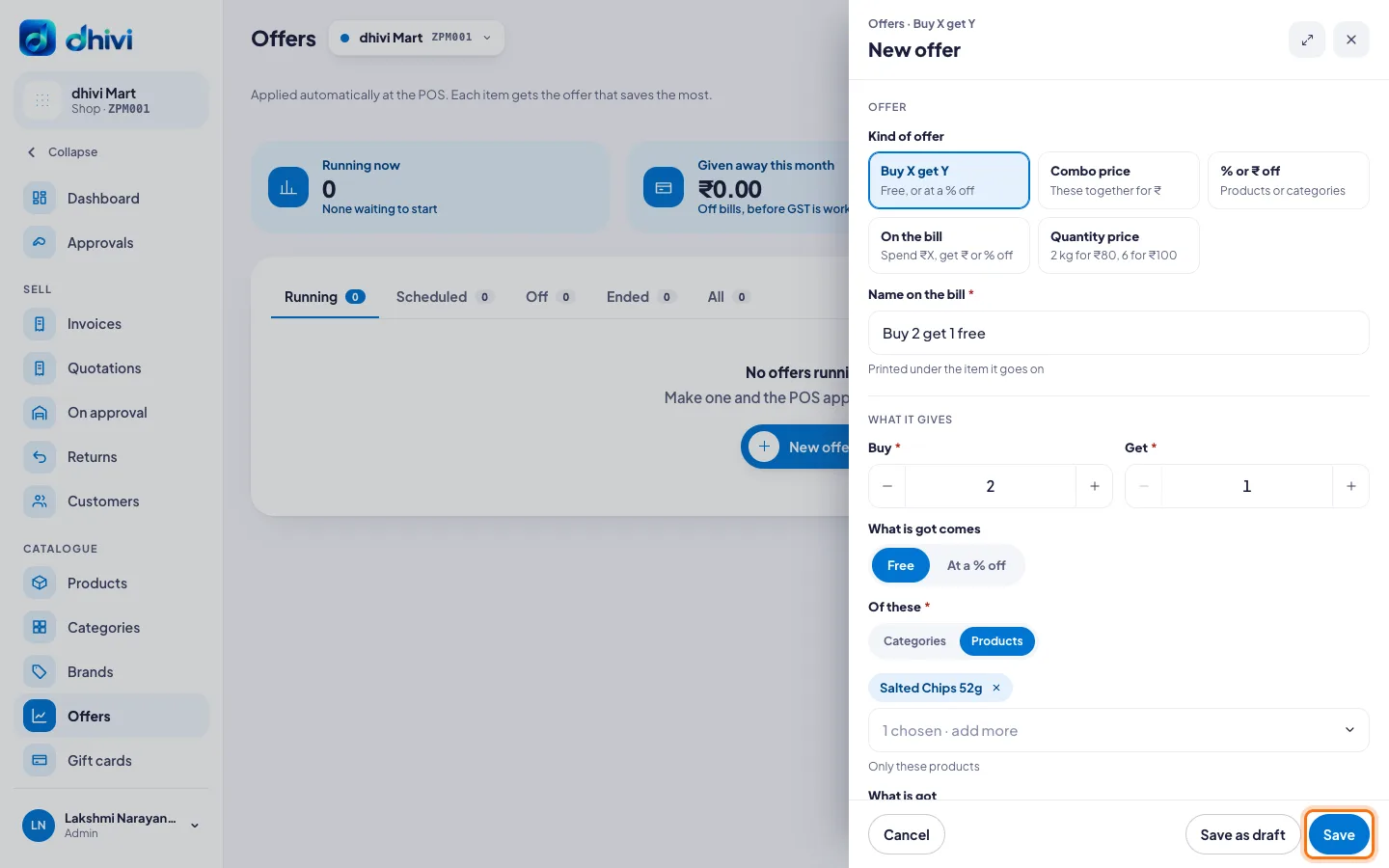
Kinds of offer
- Buy X get Y – for example, buy 2 get 1 free.
- Combo price – these items together for ₹149.
- % or ₹ off – on an item or a whole category.
- On the bill – spend ₹1,000, get ₹50 off. Or ₹100 off for every ₹1,000.
- Quantity price – 2 kg for ₹80, or 6 for ₹100.
Steps
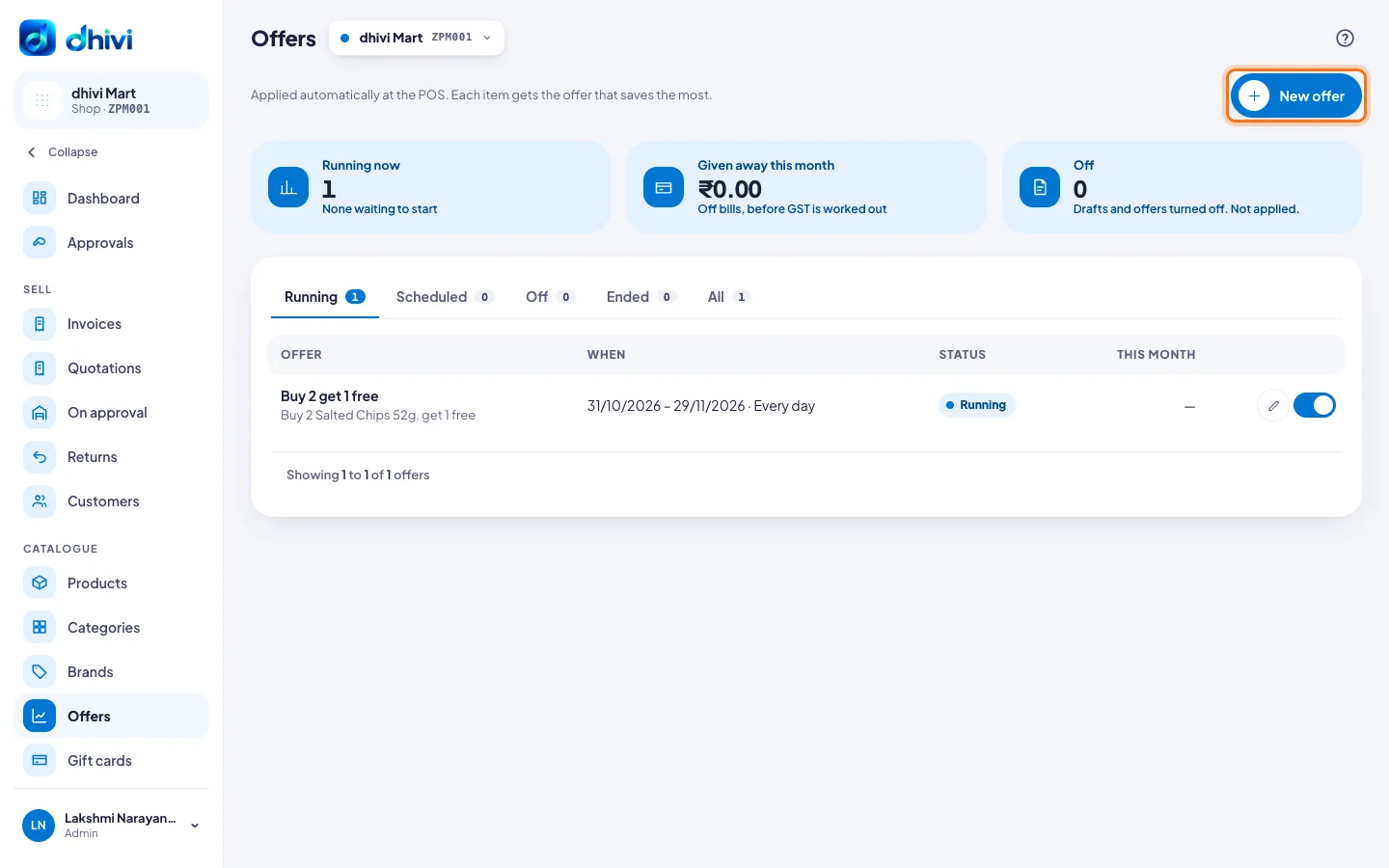
- Click Offers in the menu.
- Click New offer.
- Under Kind of offer, pick the kind you want.
- Type a Name on the bill, for example Buy 2 get 1 free. It prints under the item.
- Under What it gives, fill in the offer: how many to buy, what they get, and which categories or products.
- Under When, check the Starts date. Leave Ends blank for no end, or pick how long it Runs for.
- Pick the Days, and a From and To time if it is a happy-hour offer.
- To limit how often it is used, fill in Uses per day, Total uses or At most, per bill under Limits. Leave them blank for no limit.
- To show it on the customer's screen, turn on Show on the customer display.
- Click Save.
Good to know
- Each item gets the one offer that saves the customer most.
- A cashier's own discount can still go on top, within their limit.
- Not ready? Click Save as draft.
- To stop an offer, switch it off on its row in the list. It moves to Off, and you can switch it on again.
- The list shows how many bills each offer has gone on, for example Used today 3 of 10 · 41 of 100 in all.