Find and print an invoice
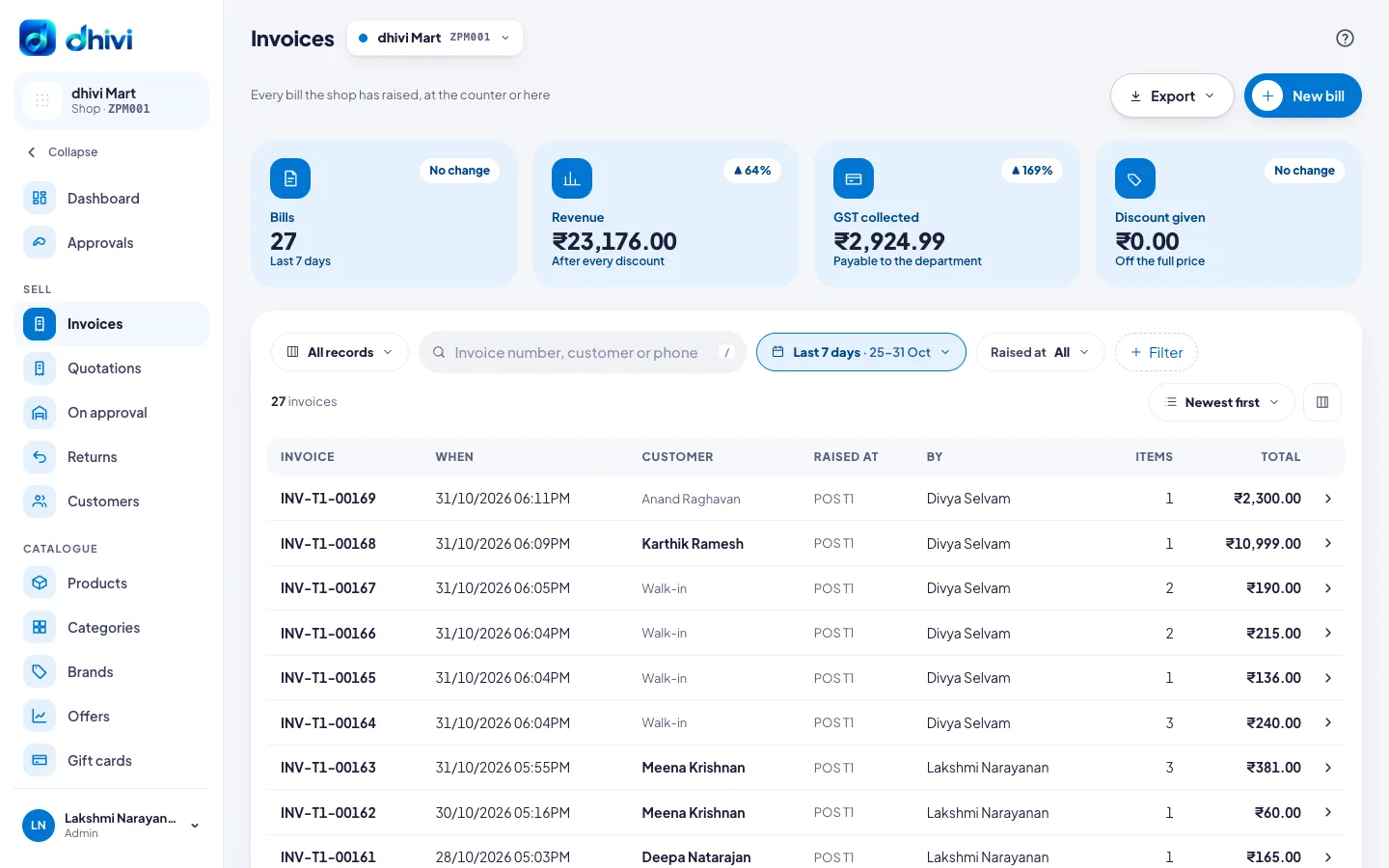
Every bill from the POS and the back office is listed under Invoices.
Steps
- Click Invoices in the menu.
- Search by invoice number, customer or phone. Change the dates with the date button, for example Last 7 days.
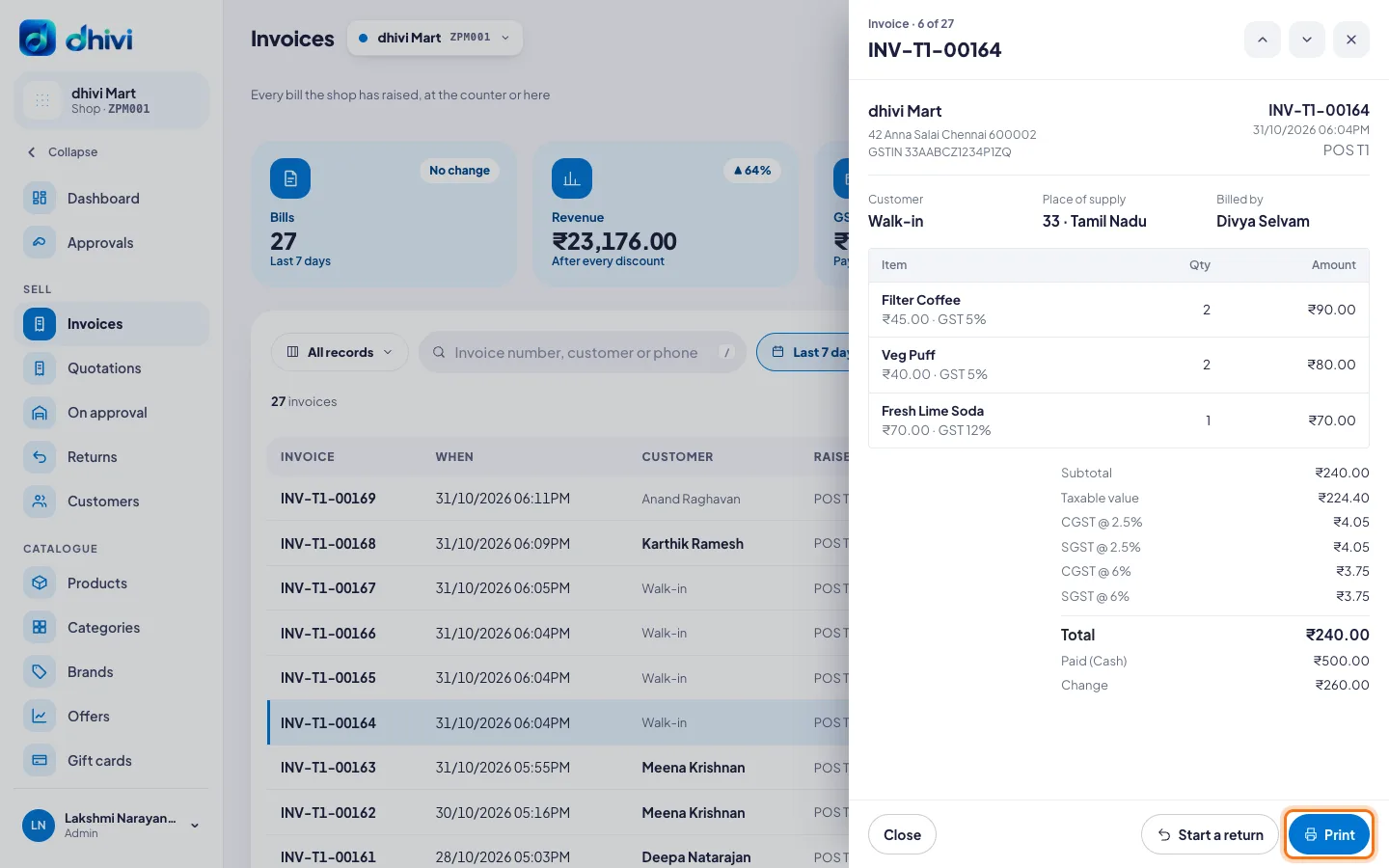
- Click an invoice to open it.
- Click Print to print it again.
Good to know
- Export downloads the list for your accountant.
- To take goods back on a bill, open it and click Start a return.
- New bill raises a bill from the back office.
- A cancelled bill stays in the list, marked Cancelled. Its number is never used again.
- Returns are under Returns in the menu, with what was refunded.